

Small businesses often lose time when contracts move through unclear approval chains. Email threads grow, documents split across folders, and no one knows the next owner. A clear contract workflow can reduce delays without weakening review. The best results come from simple rules, useful templates, and visible ownership.
TL;DR
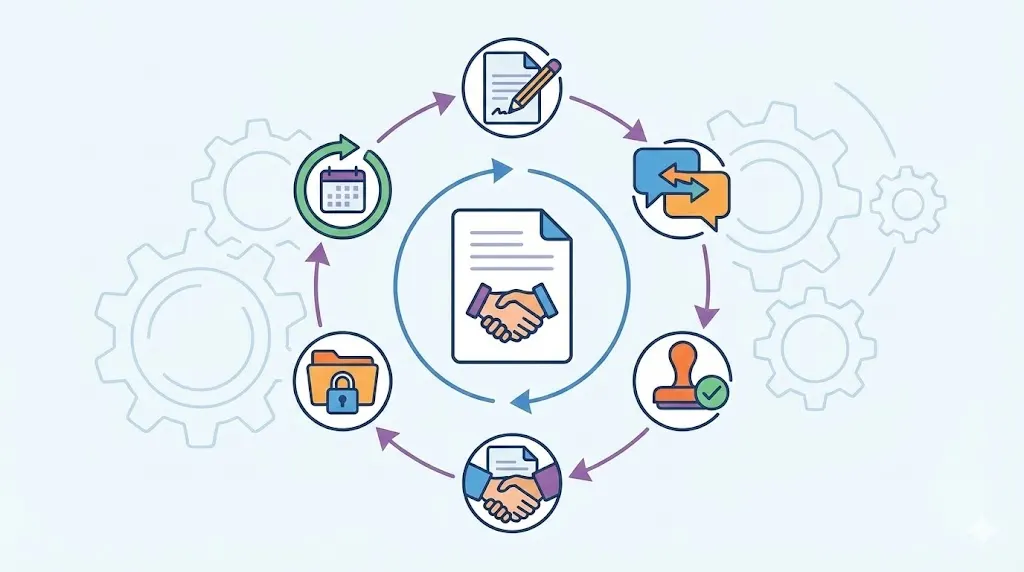
Map every contract stage to find delays in intake, review, approval, signature, and post-signature handoff.
Build risk-based approval rules so routine agreements avoid unnecessary legal or executive review.
Use approved templates, clause libraries, and fallback positions to reduce drafting work and contract review delays.
Collect complete request details before routing contracts, preventing clarification loops and avoidable approval process improvement setbacks.
Replace idle sequential reviews with parallel tasks, deadlines, reminders, and clear escalation rules.
Centralize contract records and status data to improve visibility, control, reporting, and approval turnaround time.
Identify the Sources of Contract Approval Delays
Small businesses should first map the full contract journey. Follow each agreement from request through signature and handoff.
This view separates process problems from real legal concerns. It also shows where contract workflow delays begin.
Where Contracts Commonly Stall
Email-based reviews often create long, unclear approval chains. A requester may send a document without naming the needed reviewers.
Incomplete details create more waiting. Approvers then ask about price, purpose, risks, dates, or business owners.
Documents may also sit with unavailable approvers. Duplicate data entry creates another source of delay.
Repeated revisions can hide the main problem. Teams may discuss old drafts while newer versions move elsewhere.
A simple process map should show every handoff. Mark the person responsible at each stage.
Measure the Approval Journey
Start with a baseline before changing the process. Track total cycle time from request to signature.
Also track time spent waiting for each approval. Queue time often creates more delay than actual review work.
Record revision volume and approval-stage aging. Aging shows which contracts remain stuck beyond expected timelines.
Track how many contracts need escalation. A high share may signal weak rules or poor intake quality.
Find the First Broken Handoff
A useful diagnosis checks each stage separately. This prevents teams from blaming legal for every delay.
Look at intake quality first. Then review drafting, internal review, approval, signature, and handoff.
Ask whether each stage has an owner. Confirm that the next task starts without manual chasing.
The goal is not to remove review. The goal is to remove avoidable waiting.
Related articles: Contract Process KPIs That Boost Business Performance
Build Clear Approval Governance and Ownership
Clear decision rights stop every contract from becoming a special case. They also reduce the legal approval bottleneck.
Small businesses need rules that match risk and business value. Those rules should remain easy for employees to follow.
Create an Approval Matrix
An approval matrix connects contract risks with required decisions. It should consider value, counterparty type, and contract type.
It should also flag unusual language and large liability exposure. Data use, intellectual property, and commercial risk need review too.
A low-risk renewal may need only the owner’s approval. A new data-sharing deal may need legal and security review.
Risk trigger | Reviewer | Approver | Authorized signer |
|---|---|---|---|
Standard low-value customer agreement | Business owner | Department manager | Authorized sales leader |
Non-standard payment or renewal terms | Finance | Department manager | Authorized finance leader |
Personal data or security duties | Privacy or security lead | Business owner | Authorized company signer |
High liability or unusual indemnity | Legal reviewer | Executive owner | Authorized executive signer |
New supplier with major operational impact | Procurement and business owner | Department leader | Authorized company signer |
The matrix should show who can approve each risk. It should also show who may sign the final agreement.
Assign Roles Across the Workflow
The requester starts the process and supplies business details. The contract owner manages the agreement until completion.
A subject-matter reviewer checks a specific area. Finance may review payment terms, while security reviews data access.
The approver accepts the business risk. The legal reviewer assesses legal exposure and suggests changes.
The authorized signer binds the company. This role differs from reviewing or approving terms.
Define Escalation and Delegation Rules
Set approval time limits for each workflow stage. Name backup approvers before delays begin.
Escalate tasks when deadlines pass or risks change. Delegated authority should have clear limits and dates.
Approval does not always mean legal acceptance. Business leaders accept commercial risk, while legal reviews legal exposure.
Related articles: Contract Management for Sustainable Small Business Growth
Standardize Templates, Clauses, and Fallback Positions
Approved starting points reduce drafting work and unnecessary negotiation. They also help teams send complete documents for review.
Templates work best when they match common contract types. Each template should include current terms and clear ownership.
Organize Templates by Contract Type
Create separate templates for customer agreements and vendor contracts. Add templates for non-disclosure agreements and employment documents.
Partnership arrangements may need their own starting point. Each template should reflect its business purpose.
Avoid one broad template for every deal. Different agreements carry different risks and approval needs.
Maintain an Approved Clause Library
A clause library stores reusable language for frequent terms. Include payment, confidentiality, liability, and indemnification language.
Add approved terms for intellectual property and renewal rights. Termination and data protection clauses also need clear options.
Each clause should include a preferred version. It may also include an approved fallback position.
Document Negotiation Guardrails
A playbook explains how far employees may negotiate. It should identify preferred language and acceptable alternatives.
It should also list prohibited changes. Certain edits should send the contract to legal review automatically.
For example, unusual liability limits may require legal approval. New data duties may require privacy or security review.
Keep Standard Content Current
Assign an owner to every template and clause set. That person should review content on a planned schedule.
Use version control when updating standard language. Retire old content so employees cannot select it by mistake.
A short change log can explain each update. This helps reviewers trust the current approved version.
Related articles: How To Accelerate Contract Review Process? Effective Guide
Improve Contract Intake Before Review Begins
A strong intake process prevents incomplete requests from entering the approval queue. It gives reviewers the facts they need at once.
This reduces clarification loops and contract approval delays. It also improves the quality of later decisions.
Capture the Information Approvers Need
Requesters should name the contract type and counterparty. They should explain the business purpose and expected value.
The request should include the desired timeline. It should also cover renewal terms and known risk areas.
For negotiated contracts, add a redline summary. This tells reviewers what changed and why those changes matter.
Set Intake Quality Requirements
Use required fields for key business details. Require a complete document before routing begins.
Standard request categories make triage easier. Rejection rules should return incomplete requests with clear reasons.
A simple intake checklist can ask for:
Contract type and business purpose.
Counterparty name, contact, and business owner.
Contract value, currency, and payment terms.
Requested completion date and renewal details.
Redline summary and unusual terms.
Required reviewers and authorized signer.
Supporting documents, quotes, or security records.
The checklist should take only a few minutes. If it feels burdensome, employees may return to email.
Related articles: Contract Management for Small Business in 2026
Replace Sequential Reviews With Coordinated Workflows
Sequential reviews create idle time when tasks do not depend on one another. Coordinated workflows let teams review separate risks together.
This approach reduces contract review delays without removing accountability. Each reviewer still records a clear decision.
Identify Reviews That Can Run in Parallel
Legal, finance, procurement, and business owners often review different issues. Security and privacy teams may also work independently.
Run these reviews together when no decision depends on another review. This shortens the contract approval turnaround time.
Keep reviews sequential when one result changes the next task. For example, legal may need to settle terms before finance confirms exposure.
Set Deadlines and Automated Reminders
Give each reviewer a clear due date. Use reminders before the deadline and after it passes.
Status notices should show what changed. They should also name the next owner and required action.
Escalate when an approver becomes unavailable. A backup person should receive the task without manual forwarding.
Manage Exceptions Without Blocking Routine Work
Standard agreements should follow a lighter approval path. Unusual clauses should trigger deeper review.
High-value deals may need executive approval. New counterparties may need extra checks before signing.
Material risk changes should also trigger escalation. This keeps routine work moving while protecting the business.
A workflow decision table can define the route clearly. It should show when reviews run sequentially, in parallel, automatically, or through escalation.
Related articles: How Machine Learning Transforms Contract Management Today
Make Contract Status Visible Across the Business
Small teams need one reliable view of contract progress. Without it, employees spend time asking for updates.
Central visibility helps teams act before delays affect sales or operations. It also reduces time spent searching for documents.
Create a Single Source of Truth
Store drafts, approvals, and signed agreements together. Include supporting files and audit records in the same record.
A central repository reduces scattered documents. It also supports full-text search and controlled access.
The record should show the current version clearly. Employees should not need to search email for the latest file.
Use Statuses That Reflect Real Work
Use simple stages that match actual tasks. Useful stages include intake, drafting, internal review, and counterparty review.
Add approval, signature, completed, and blocked stages. Avoid vague labels such as “in progress.”
Each status should have an owner. It should also have a defined next action.
Monitor Performance and Recurring Delays
Review approval aging by contract type. Compare overdue tasks with normal completion times.
Track bottleneck stages and exception frequency. Review contract performance by team owner, and agreement type.
Reports can reveal repeated problems. For example, one contract type may need better templates.
Protect Access and Maintain Auditability
Use role-based permissions for sensitive records. Let users access only the documents needed for their work.
Keep change histories and approval records. Retain signed agreements under a clear policy.
Audit trails show who changed, reviewed, or approved terms. These records support accountability during disputes or audits.
A useful dashboard should show:
Contract owner and current stage.
Next action and responsible approver.
Due date and risk level.
Counterparty and contract type.
Escalation status and latest activity.
Renewal date and key obligations.
Related articles: Contract Management Software for Growing Small Businesses
Automate the Process Without Losing Control
Automation should remove repeated work, not replace sound judgment. Start with a process that already has clear steps.
This approach limits disruption and creates a useful test. It also supports steady approval process improvement.
Start With a High Volume Contract Type
Choose one recurring agreement with predictable steps. Good examples include standard customer or vendor contracts.
Select a type with visible delays. The team should be able to measure progress before and after changes.
Avoid starting with the most complex deal. A simple pilot can prove value faster.
Expand Automation Through Measured Stages
Start with automatic routing and reminders. Then add templates, reporting, and status dashboards.
Next, connect email, customer systems, finance tools, or electronic signatures. Add renewal management after core records become reliable.
Review results after each stage. Expand only when the process remains easy to use.
A practical roadmap follows this order:
Select one high-volume contract type.
Document its current steps and delays.
Add intake rules and automatic routing.
Add reminders, deadlines, and escalation.
Introduce approved templates and clause choices.
Add reports, dashboards, and useful integrations.
Add renewal and obligation tracking.
Why Contract Management Software Matters
Contract management software connects intake, templates, routing, collaboration, and signatures. It also keeps records, reminders, reports, and audit trails together.
This helps small businesses reduce manual handoffs. It also makes contract status easier to find.
Automation should support a documented approval policy. It should not hide unclear decision rights or weak ownership.
Centralized tools create consistent workflows as contract volume grows. They also help teams apply the same controls across departments.
Faster routing can reduce unnecessary approval handoffs. Employees spend less time searching for contract status.
Permissions and version history support control. Audit trails show decisions, changes, and final approvals.
Start with the most frequent contract types. Measure cycle time, waiting time, rework, and aging.
Expand automation only after the first workflow works well. This keeps the process practical for a small team.
Solution
Contract management software can connect intake, review, routing, signatures, and storage. It helps teams follow clear approval rules while reducing manual follow-up.
Volody's CLM Software supports centralized contract storage, automated approval workflows, and AI Contract Summaries. It can also track obligations, renewal dates, key risks, and approval activity in one place.
For example, a vendor agreement can route to finance and security together. The system can then remind owners about approval tasks and renewal duties.
Ready to reduce contract approval bottlenecks? See how Volody's CLM Software can bring intake, review, approvals, signatures, and renewals into one clear workflow.
FAQ
What should small businesses look for in contract lifecycle management software?
Small businesses should prioritize central storage, approval routing, reminders, templates, and version control. Audit trails, reports, integrations, and electronic signatures also matter. Ease of use and permissions should match the team’s needs. The software should support a documented approval process, rather than add another layer of work.
How can workflow automation reduce contract approval delays?
Workflow automation routes requests to the right people without manual forwarding. It can also support parallel reviews, reminders, status notices, and escalation rules. Automation works best when owners and risk limits already exist. Human review should remain for unusual terms, material risks, and important exceptions.
How can small businesses make employees adopt a contract management system?
Adoption improves when the system feels easier than email. Keep intake forms short and remove duplicate data entry wherever possible. Provide role-based training and explain each person’s responsibility. Collect feedback after launch, then adjust steps that slow employees down.
Which contract dates and obligations should small businesses track?
Track renewal dates, notice periods, termination rights, and payment terms. Also track delivery duties, reporting requirements, service levels, and pricing changes. Compliance duties and other key milestones need named owners. Store these details centrally with reminders, so important work does not get missed.
How should small businesses manage contract versions during negotiations?
Store drafts in one controlled location and label versions consistently. Limit editing access to appropriate users during negotiations. Keep redlines, comments, approvals, and the final signed agreement together. Version history and audit trails help reviewers confirm which terms changed and which document controls.
When should a small business use a contract approval tracker instead of CLM software?
A structured tracker may work for low volumes and simple approval paths. It can fail when teams need reminders, searchable records, audit trails, or renewal tracking. Dedicated CLM software becomes more useful as reviewers and contract types increase. Start with a tracker if needed, while documenting requirements for future growth.
About the Company

Volody AI CLM is an Agentic AI-powered Contract Lifecycle Management platform designed to eliminate manual contracting tasks, automate complex workflows, and deliver actionable insights. As a one-stop shop for all contract activities, it covers drafting, collaboration, negotiation, approvals, e-signature, compliance tracking, and renewals. Built with enterprise-grade security and no-code configuration, it meets the needs of the most complex global organizations. Volody AI CLM also includes AI-driven contract review and risk analysis, helping teams detect issues early and optimize terms. Trusted by Fortune 500 companies, high-growth startups, and government entities, it transforms contracts into strategic, data-driven business assets.






" height="216.72211px" id="FYO0bO80Y" transform="translate(3 6.105)" width="206.073px"/><path d="M 108.174 222 C 88.432 222 70.303 217.239 53.785 207.717 C 37.267 198.196 24.173 185.052 14.504 168.285 C 4.835 151.312 0 132.165 0 110.845 C 0 89.731 4.835 70.792 14.504 54.025 C 24.173 37.052 37.267 23.804 53.785 14.282 C 70.303 4.761 88.432 0 108.174 0 C 128.116 0 146.246 4.761 162.562 14.282 C 179.08 23.804 192.073 37.052 201.541 54.025 C 211.21 70.792 216.044 89.731 216.044 110.845 C 216.044 132.165 211.21 151.312 201.541 168.285 C 192.073 185.052 179.08 198.196 162.562 207.717 C 146.044 217.239 127.915 222 108.174 222 Z M 108.174 183.189 C 120.864 183.189 132.044 180.291 141.713 174.495 C 151.382 168.492 158.936 160.006 164.375 149.035 C 169.814 138.064 172.533 125.334 172.533 110.845 C 172.533 96.355 169.814 83.729 164.375 72.965 C 158.936 61.994 151.382 53.611 141.713 47.815 C 132.044 42.02 120.864 39.122 108.174 39.122 C 95.483 39.122 84.202 42.02 74.332 47.815 C 64.663 53.611 57.109 61.994 51.67 72.965 C 46.231 83.729 43.511 96.355 43.511 110.845 C 43.511 125.334 46.231 138.064 51.67 149.035 C 57.109 160.006 64.663 168.492 74.332 174.495 C 84.202 180.291 95.483 183.189 108.174 183.189 Z" fill="rgba(255, 255, 255, 0.12)" height="222px" id="aa1McFcE9" transform="translate(227.183 3)" width="216.04399999999998px"/><path d="M 42.302 182.257 L 111.799 182.257 L 111.799 216.722 L 0 216.722 L 0 0 L 42.302 0 Z" fill="rgba(255, 255, 255, 0.12)" height="216.72211px" id="yRq4AnrsX" transform="translate(477.721 6.105)" width="111.79899999999998px"/><path d="M 108.174 222 C 88.432 222 70.303 217.239 53.785 207.717 C 37.267 198.196 24.173 185.052 14.504 168.285 C 4.835 151.312 0 132.165 0 110.845 C 0 89.731 4.835 70.792 14.504 54.025 C 24.173 37.052 37.267 23.804 53.785 14.282 C 70.303 4.761 88.432 0 108.174 0 C 128.116 0 146.246 4.761 162.562 14.282 C 179.08 23.804 192.073 37.052 201.541 54.025 C 211.21 70.792 216.045 89.731 216.045 110.845 C 216.045 132.165 211.21 151.312 201.541 168.285 C 192.073 185.052 179.08 198.196 162.562 207.717 C 146.044 217.239 127.915 222 108.174 222 Z M 108.174 183.189 C 120.864 183.189 132.044 180.291 141.713 174.495 C 151.382 168.492 158.936 160.006 164.375 149.035 C 169.814 138.064 172.534 125.334 172.534 110.845 C 172.534 96.355 169.814 83.729 164.375 72.965 C 158.936 61.994 151.382 53.611 141.713 47.815 C 132.044 42.02 120.864 39.122 108.174 39.122 C 95.483 39.122 84.202 42.02 74.332 47.815 C 64.663 53.611 57.108 61.994 51.67 72.965 C 46.231 83.729 43.511 96.355 43.511 110.845 C 43.511 125.334 46.231 138.064 51.67 149.035 C 57.108 160.006 64.663 168.492 74.332 174.495 C 84.202 180.291 95.483 183.189 108.174 183.189 Z" fill="rgba(255, 255, 255, 0.12)" height="222px" id="mo8HQspQ0" transform="translate(609.155 3)" width="216.04500000000007px"/><path d="M 73.727 0 C 95.885 0 115.324 4.45 132.044 13.351 C 148.967 22.252 161.957 34.982 171.027 51.541 C 180.287 67.894 184.917 86.937 184.917 108.671 C 184.917 130.405 180.287 149.449 171.027 165.801 C 161.957 181.947 148.967 194.47 132.044 203.371 C 115.324 212.271 95.885 216.722 73.727 216.722 L 0 216.722 L 0 0 Z M 72.216 179.773 C 94.374 179.773 111.497 173.564 123.583 161.144 C 135.669 148.724 141.713 131.233 141.713 108.671 C 141.713 86.109 135.669 68.515 123.583 55.888 C 111.497 43.055 94.374 36.638 72.216 36.638 L 42.302 36.638 L 42.302 179.773 Z" fill="rgba(255, 255, 255, 0.12)" height="216.72211px" id="I3iXX5Hi_" transform="translate(859.693 6.105)" width="184.91699999999992px"/><path d="M 185.22 0 L 113.91 141.273 L 113.91 216.722 L 71.61 216.722 L 71.61 141.273 L 0 0 L 47.74 0 L 93.06 99.046 L 138.08 0 Z" fill="rgba(255, 255, 255, 0.12)" height="216.72211px" id="nzHyWC0_d" transform="translate(1061.78 6.105)" width="185.22000000000003px"/></svg>)