

As contract volume increases, informal systems quickly create operational risk. Scattered files, missed renewals, and unclear approval ownership can slow growth and expose the business to unnecessary cost. The right contract management software provides disciplined control, clear visibility, and scalable workflows without imposing unnecessary complexity. This guide outlines how to evaluate platforms, manage total cost, and implement a solution that supports long-term growth.
TL;DR
Find the contract problems causing delays, missed renewals, approval gaps, and extra legal work.
Prioritize search, templates, workflows, signatures, reminders, permissions, reporting, and simple daily use.
Match the tool to your team, systems, contract volume, budget, and expected business growth.
Compare usability, security, integrations, support, setup effort, and total cost instead of feature counts.
Use a staged rollout to clean data, test workflows, train users, and improve adoption.
Choose software that solves today’s needs while supporting tomorrow’s contracts and teams.
5 Key Challenges Growing Small Businesses Face With Contracts
Growing companies often manage contracts through habits that worked at a smaller size. Those habits become risky when more people create, approve, and renew agreements.
1. Disorganized contract storage
Agreements may sit in email threads, local folders, shared drives, or paper files. People then spend time asking who has the latest version.
This problem affects sales contracts, supplier terms, employment documents, and partnership agreements. Supporting files may also sit somewhere else.
A central repository gives every approved user one place to search. It also reduces reliance on one employee’s memory.
2. Missed deadlines and renewal dates
Many teams record dates in personal calendars or inbox reminders. Those reminders can disappear when someone leaves or changes roles.
A missed notice period may trigger an unwanted renewal. It may also cause a price increase, service gap, or rushed negotiation.
Renewal alerts should reach the person who owns each agreement. Escalation rules should reach a manager when action remains incomplete.
3. Slow reviews and approvals
Contracts often wait because no one knows the next owner. Sales may wait for legal review, while procurement waits for finance approval.
Email chains make this delay harder to see. They rarely show which task remains open or when someone received it.
A clear workflow assigns each step to a named person. It also shows the contract’s status from request through signature.
4. Limited visibility into obligations
A signed agreement can contain many duties beyond payment. Teams may need to track delivery dates, insurance, reports, service levels, or notice rules.
These duties are easy to overlook when staff only store the final document. A contract tool can record key obligations beside the agreement.
That view helps teams plan work before deadlines arrive. It also supports better handoffs between sales, finance, operations, and leadership.
5. Processes that fail during growth
Informal processes become weaker as contract volume rises. New locations, departments, and outside partners add more owners and approval paths.
A process that fits five users may confuse twenty users. It may also create duplicate contract templates and inconsistent contract terms.
Use this checklist when deciding whether change is needed:
Storage: Can staff find every active agreement and its current version?
Missing files create delays during renewals, audits, disputes, and customer questions. Staff should find contracts without asking one specific employee. Supporting documents should remain connected to the main agreement.
Deadlines: Does one system track renewals, notice dates, and key duties?
Personal reminders do not provide dependable team coverage. Each date needs an owner, a backup, and a clear alert. The system should show upcoming work before deadlines become urgent.
Approvals: Can managers see stalled requests and pending decisions?
Email alone hides the full approval path from most users. A workflow should show each task, owner, and due date. It should also record the final decision for later review.
Obligations: Can teams track what each party must deliver?
Signed contracts often contain duties that affect daily operations. Records should include payment terms, service duties, and notice rules. Owners need alerts before important commitments become overdue.
Growth pressure: Will the current process work with more users and contracts?
Growth exposes weak naming rules and unclear ownership quickly. New teams need simple steps that do not depend on tribal knowledge. The right tool should support growth without forcing enterprise complexity.
Related articles: Top 10 Contract Management Software for Legal Teams
Define Requirements Before Comparing Software
A strong buying process starts with business needs, not vendor demonstrations. Write down the current process before reviewing product screens.
Mapping the Contract Lifecycle
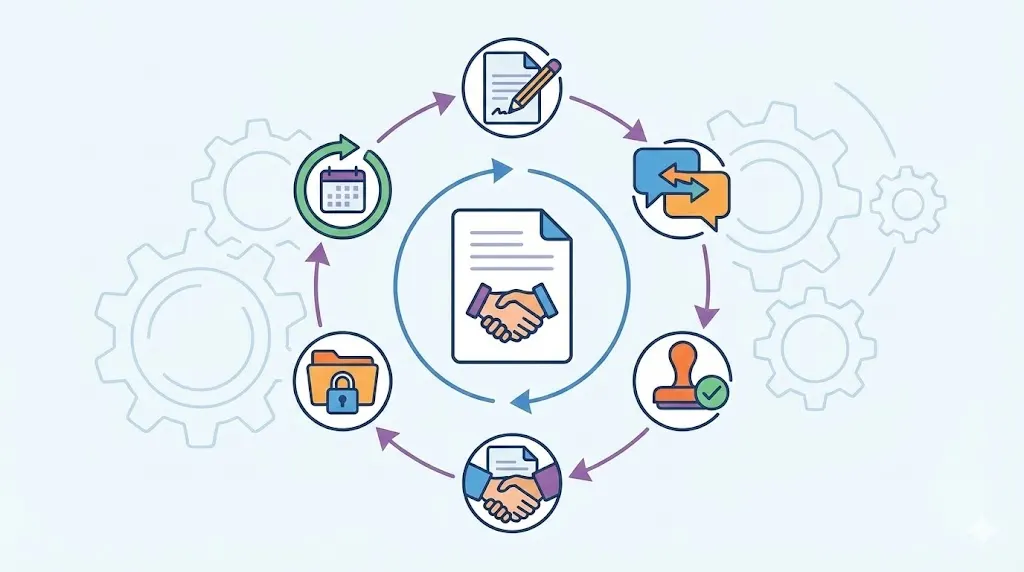
Map each stage from the first request to final renewal. Include drafting, negotiation, review, approval, signature, storage, tracking, and closure.
Ask who owns each stage today. Then record the delays, repeated tasks, and handoff problems.
A simple map can reveal where software will help most. For example, sales may need templates, while finance needs payment alerts.
Include different contract types in the review. Customer, supplier, employee, lease, and partnership agreements may follow different paths.
Separating Essential Features From Useful Extras
Start with features that solve clear business problems. Search, permissions, templates, alerts, audit trails, and signatures often form the core.
Advanced tools may add artificial intelligence, complex reports, or deeper automation. Artificial intelligence, or AI, means software that can review or sort information.
Do not buy advanced features without a clear use case. A small team may gain more from simple workflows and fast adoption.
Write each requirement in plain language. “Find supplier renewals quickly” is more useful than “advanced contract intelligence.”
Setting User and Access Requirements
List every user group that will touch contracts. Include administrators, legal reviewers, sales staff, finance users, executives, and outside collaborators.
Each group may need different access. Sales might create requests, while executives approve terms and finance tracks payments.
Define who can view, edit, approve, sign, and export documents. Also decide who can change templates and system rules.
A clear access plan supports safer sharing. It prevents broad access when users only need limited information.
Use this requirements matrix before comparing tools:
Essential: Include searchable storage, role permissions, reminders, templates, workflows, signatures, and audit records.
These features support the basic contract process from request through renewal. They should work without heavy manual setup or specialist training. Test each feature with a real agreement from your business.
Preferred: Consider reports, CRM links, clause suggestions, and custom dashboards.
These features can reduce repeated work as the team grows. They should improve the main process rather than distract users. Add them when they support a clear business goal.
Unnecessary: Exclude features that solve problems your team does not have.
Extra tools can raise costs and make training harder. They may also hide simple tasks behind complex screens. Review this group again after your contract process matures.
Related articles: Enterprise Contract Lifecycle Management Software
Evaluate the Core Capabilities That Matter Most
Small businesses need useful controls, not the longest feature list. Focus on capabilities that improve daily work and reduce preventable mistakes.
Centralized Storage and Intelligent Search
A central repository stores agreements in one controlled location. It can also hold attachments, signed copies, amendments, and related records.
Look for metadata fields such as contract type, owner, supplier, value, and renewal date. Metadata means information that describes a document.
Search should work across names, terms, tags, and document text. Optical character recognition can make scanned files searchable.
Importing old contracts matters too. Ask whether the tool supports bulk uploads, duplicate checks, and simple data cleanup.
Templates, Drafting, and Clause Control
Approved templates help users start with consistent language. Clause libraries store standard wording for common business needs.
Version tracking shows what changed during negotiation. It also helps reviewers compare drafts without searching old email messages.
Guided document creation can reduce avoidable review work. Users answer simple questions, and the tool builds a suitable first draft.
Templates should still allow controlled changes. Unapproved edits need review before a document reaches a customer or supplier.
Workflow Automation and Approvals
A workflow routes contracts to the right people. It can assign tasks for legal review, finance checks, management approval, and signature.
Rules can change the path based on value, risk, region, or contract type. This keeps simple agreements moving while sending unusual terms for deeper review.
Notifications should show new tasks and overdue work. Managers need a view of stalled contracts without opening every email.
Collaboration tools can keep comments beside the right document version. They also create a clearer record of decisions.
Tracking, Reporting, and Renewal Management
A useful dashboard shows active, pending, signed, and expired agreements. It should also show contracts approaching renewal or notice deadlines.
Reports help leaders review workload, contract value, and approval delays. Filters should support teams, owners, suppliers, dates, and agreement types.
Obligation tracking goes beyond renewal alerts. It can cover delivery duties, payment dates, insurance proof, and service commitments.
Ask whether users can export reports when needed. Flexible reporting helps finance, operations, and leadership use the same contract data.
Prioritize features in this order:
Repository: Make central storage and search the first priority.
Staff must find current agreements without checking many systems. The repository should support tags, fields, attachments, and full text. It should also protect documents through clear access rules.
Workflows: Add routing, task ownership, approvals, and reminders next.
These controls reduce waiting and clarify who acts next. They should support different paths for different agreement types. Users should see progress without asking for manual updates.
Signatures: Choose simple electronic signing for routine execution.
Signatures should connect to the correct final document version. The record should show signers, dates, and completed actions. This reduces printing, scanning, and repeated email exchanges.
Alerts: Track renewals, notice dates, obligations, and pending approvals.
Alerts need owners and backup recipients for reliable coverage. They should appear early enough for useful business action. Escalation rules can support overdue tasks.
Reporting: Use reports to monitor workload, risk, and contract status.
Reports should answer practical questions about current work. Examples include open approvals and renewals due soon. Avoid dashboards that look useful but guide no decisions.
Automation: Add advanced automation after core processes work well.
Automation can reduce routine work and improve response speed. It needs clean data and clear rules to work properly. Start with one process, then expand after testing.
Related articles: AI Advancements in Contract Management Tools by 2026
Compare Platforms by Fit, Not Feature Count
A platform may look impressive but still fit poorly. The best choice supports your team’s actual work, tools, and growth plans.
Comparing Platforms by Ecosystem and Workflow Fit
Review how each tool fits your current business systems. A company using Microsoft tools may value strong document and email connections.
Another company may need close links with customer, finance, or project tools. A smaller team may prefer simple tracking over complex lifecycle controls.
Contract management software and broader lifecycle software serve different needs. Basic tools may focus on storage, search, signing, and deadlines.
Broader platforms may support complex approval paths, reports, governance, and integrations. Choose the level that matches your current process.
Comparing Usability, Integrations, and Scalability
Non-legal users should understand the main tasks quickly. Ask a sales or finance user to create, find, and approve a sample contract.
Review links with email, calendars, customer systems, finance tools, storage, and identity services. Good connections reduce duplicate entry and missed updates.
Check how users, workflows, fields, and storage can grow. Pricing should remain clear when the company adds teams or contract types.
Support also matters during setup. Ask who helps with migration, training, configuration, and later process changes.
Score each vendor against your needs:
Ecosystem fit: Check whether the tool works with your main business systems.
Review data flow between contracts and customer records. Ask whether integrations need custom code or paid services. Test common tasks instead of trusting a feature sheet.
Usability: Give representative users a short, realistic test.
Ask them to find, edit, approve, and share an agreement. Watch where they hesitate or need help. Simple screens often support better adoption than broad feature sets.
Integrations: Test links with email, calendars, finance, storage, and CRM tools.
Check whether updates move both ways when needed. Confirm which connections cost more or need technical work. Document limits before signing a contract.
Scalability: Review future users, departments, workflows, and storage needs.
Ask how pricing changes as the team expands. Check whether administrators can add fields without vendor help. Growth should not require a complete system replacement.
Support: Confirm setup help, training, response times, and ongoing guidance.
Ask who handles migration problems and workflow changes. Review support hours and any premium support charges. Strong help can reduce launch delays.
Configuration: Check which rules your team can change safely.
Useful controls include fields, approval paths, alerts, and roles. Too little control creates workarounds and manual tasks. Too much control may create confusing local processes.
Related articles: Best CLM Software in Chennai: 2026 Vendor Review
Plan for Security, Governance, and Integration
Contracts contain sensitive commercial, employee, and customer information. Security checks should happen before a product trial ends.
Protecting Sensitive Contract Information
Ask how the vendor protects documents during storage and transfer. Encryption helps prevent unauthorized access while data moves or rests.
Review role-based access, secure sign-in, and optional multi-factor authentication. Role-based access means permissions match each user’s job.
Ask whether each customer’s data remains separate. Confirm backup methods, recovery plans, and data location options.
Security should support practical work. Users need safe access without creating shared accounts or unsafe downloads.
Preserving Accountability and Auditability
A reliable audit trail records important actions. It should show who viewed, changed, approved, or signed a document.
Version history helps teams understand contract changes. Approval records show why a decision happened and who made it.
Clear ownership also supports renewal work. Each agreement should have a responsible business owner and a backup.
Ask vendors to demonstrate these records. Do not accept a general security statement without seeing real controls.
Connecting Contracts to Existing Systems
Integrations can reduce repeated entry and manual updates. Email links can save messages, while calendar links can support deadline planning.
Finance connections can support payment terms and supplier records. CRM links can connect customer agreements with sales opportunities.
Identity connections make access easier to manage. E-signature links can keep signing, storage, and status updates together.
Check the quality of each connection. A named integration may still offer limited fields or one-way updates.
Use this review checklist during demonstrations:
Access: Test roles, sign-in controls, permissions, and external sharing.
Ask how access changes when an employee leaves. Confirm whether teams can restrict sensitive agreement types. Request proof through a live demonstration.
Protection: Review encryption, backups, recovery, and data separation.
Ask where data is stored and processed. Confirm how the vendor handles security incidents. Record answers for procurement and leadership review.
Audit records: Check versions, comments, approvals, signatures, and activity logs.
These records support accountability during disputes and audits. They should remain readable and easy to export. Test records on both drafts and signed agreements.
Integrations: Review email, calendar, storage, CRM, finance, and identity links.
Confirm the data each connection can send and receive. Ask about setup work, limits, and added fees. Test the most important connection before purchase.
Governance: Confirm owners, retention rules, naming rules, and access reviews.
Governance means the rules that keep contract work consistent. Small teams still need clear ownership and review dates. Keep these rules simple enough for daily use.
Related articles: Why Volody CLM Is the Best Contract Management Software
Build a Practical Budget and Business Case
Compare more than the advertised subscription price. Review user seats, storage limits, support levels, and contract length.
Some vendors charge for setup, migration, premium integrations, or extra storage. Annual discounts may lower cost, but they can reduce flexibility.
Include internal effort in the first-year budget. Data cleanup, configuration, training, administration, and process redesign all require staff time.
Estimate savings from faster searches and fewer manual updates. Include quicker deal completion, fewer missed renewals, and lower outside legal work.
Reduced operational risk can also support the business case. Avoided service gaps, unwanted renewals, and lost documents have real business value.
Use a total-cost worksheet before comparing final offers:
First-year costs: Add licenses, setup, migration, training, integrations, and internal staff time.
Include every required service, not only the base subscription. Ask vendors to separate one-time and recurring charges. This creates a clearer first-year comparison.
Ongoing costs: Add renewals, extra users, storage, support, and future connections.
Review how prices change as usage grows. Ask about annual increases and contract renewal terms. Model the cost for your likely growth path.
Expected savings: Estimate time saved during search, review, approval, and renewal work.
Use current tasks as the starting point. Count hours saved across sales, finance, operations, and legal staff. Keep assumptions clear and easy to challenge.
Risk reduction: Consider fewer missed dates, lost files, and approval errors.
These gains may not appear as direct savings. Still, they can protect revenue and customer trust. Record the risks the new system should reduce.
Business value: Measure faster sales cycles and better management visibility.
Leaders may make decisions sooner with reliable contract data. Teams may also handle growth without adding equal administration. Review these results after launch.
Related articles: Free Contract Management Software: Try Volody for 30 Days
Implement the New System Without Disrupting Operations
A careful rollout protects daily work and improves user trust. Start with clean data and a small group of active users.
Preparing and Prioritizing Contract Data
Create an inventory of current agreements before migration. Record the owner, type, parties, dates, status, and storage location.
Remove duplicates and identify missing files. Do not move every old document without checking its value and condition.
Start with active contracts and near-term renewals. These agreements offer immediate value and reveal important data gaps.
Set naming rules and metadata fields before upload. Consistent records make search, reports, and future automation more reliable.
Configuring Workflows and Governance
Build templates and approval paths around real contract types. Keep routine agreements simple and send unusual terms for deeper review.
Define who owns renewals, obligations, and final storage. Add backup owners for planned leave and staff changes.
Set rules for access, naming, comments, and version control. Users need clear guidance before they begin working in the new system.
Create escalation rules for overdue tasks. Managers should see blocked work before it affects customers or suppliers.
Piloting With Representative Users
Choose pilot users from legal, sales, procurement, finance, and operations. Each group will expose different needs and workflow gaps.
Use real but suitable agreements during testing. Ask users to request, draft, review, approve, sign, and find documents.
Record every question and workaround. Repeated confusion may show a design problem, not a training problem.
Keep the pilot small enough for quick changes. Fix major issues before adding more teams.
Measuring Adoption and Improving Continuously
Train users by role and task. A sales user does not need the same lesson as an administrator.
Track logins, requests, approvals, searches, and completed renewals. These signals show whether the system supports real work.
Collect feedback after the first weeks. Ask which steps feel slow, unclear, or unnecessary.
Review permissions, templates, reports, and data quality on a regular schedule. The system should change as the business changes.
Follow this phased implementation checklist:
Discovery: Map current processes, users, systems, contract types, and pain points.
Agree on the first business goals before choosing launch features. Identify owners for data, workflows, security, and training. Keep the discovery record short and practical.
Migration: Clean files, remove duplicates, add metadata, and move priority agreements.
Test search and document links after each upload batch. Keep original files safe until validation ends. Record missing data for later cleanup.
Pilot: Test real workflows with representative users from key teams.
Watch users complete common tasks without constant guidance. Fix unclear forms, alerts, roles, and approval paths. Confirm that reports show useful information.
Launch: Release the system with clear rules and support channels.
Provide short guides for common tasks and questions. Keep the old process available for a defined transition period. Tell users when the new process becomes required.
Optimization: Review usage, feedback, data quality, and business results.
Improve workflows after seeing real user behavior. Remove unused fields and simplify confusing steps. Set regular reviews for permissions, templates, and reports.
Related articles: Top Contract Management Software in UAE for 2026
Why Contract Management Software Matters
Contract management software gives a growing business one reliable place for agreements. It connects documents with deadlines, approvals, signatures, and obligations.
That structure reduces preventable administrative work. Teams spend less time searching and more time acting on clear information.
A central repository reduces scattered files and duplicate versions. Automated reminders help owners act before renewals and notice dates arrive.
Structured workflows also improve accountability. Everyone can see the next step, the current owner, and the contract status.
The best choice balances simple daily use with future growth. It should fit your systems, budget, users, and contract process today.
It should also support more teams and agreements later. A phased evaluation and rollout lowers risk while building adoption.
Centralize work: Store agreements, attachments, metadata, and signed copies together.
Give users search tools that match their daily needs. Reduce dependence on personal folders and email history. Keep ownership clear for every active agreement.
Automate key dates: Track renewals, notice periods, obligations, and approvals.
Send reminders to owners and backup users. Escalate overdue tasks when action remains incomplete. Help teams plan before deadlines become urgent.
Control the process: Use templates, roles, workflows, and audit records.
Keep routine contracts moving through simple paths. Send unusual terms to the right reviewers. Preserve a clear record of important decisions.
Support growth: Choose flexible tools with clear pricing and manageable setup.
Add users and workflows without rebuilding the whole process. Connect contracts with the systems teams already use. Improve the system through regular reviews.
Volody’s CLM Software can help small businesses organize this work. It offers a central contract repository, AI Contract Summaries, and Approval Workflow Automation. These features help teams find agreements, understand key dates, and route reviews clearly.
For example, a sales team can store a signed customer agreement, review its obligations, and route renewal approval from one system.
Evaluate how Volody's CLM Software can streamline contract workflows, strengthen visibility, and support confident business growth.
FAQ
What is contract management software?
Contract management software stores agreements and supports the work around them. It can help teams draft, review, approve, sign, store, track, and renew contracts. A central system also shows owners, dates, versions, and obligations. This gives small businesses better control without relying on scattered files and personal reminders.
How does contract management software differ from contract lifecycle management software?
Contract management software often focuses on storage, search, signatures, and deadline tracking. Contract lifecycle management software can cover more stages and more complex workflows. It may include advanced approvals, governance, analytics, integrations, and automated drafting. Small businesses should choose the wider platform only when those added needs justify the cost and setup.
What features should small businesses look for in contract management software?
Start with a searchable repository, templates, permissions, approval workflows, electronic signatures, and renewal reminders. Version tracking and audit records also support safer collaboration. Reports can show contract status, workload, and upcoming dates. AI review or data extraction may help later, but core process control should come first.
When should a small business move beyond spreadsheets and shared drives for contract management?
Move when staff miss renewals, duplicate files, or struggle to find current agreements. Slow approvals and unclear ownership also signal that the process needs change. Growth across teams, locations, or contract types creates more pressure. A new system can help before these problems affect customers, suppliers, or revenue.
How much does contract management software cost for a small business?
Cost depends on users, storage, features, support, and contract length. Setup, migration, training, integrations, and premium support can raise first-year costs. Ongoing charges may include extra users, storage, and advanced tools. Compare total ownership cost against saved time, faster approvals, fewer missed renewals, and lower risk.
How long does it take to implement contract management software?
The timeline depends on data volume, workflow complexity, integrations, and user training needs. Clean data and simple processes usually support a faster rollout. Complex migrations need more review, testing, and permission planning. A pilot with representative users can expose issues before a wider launch.
About the Company

Volody AI CLM is an Agentic AI-powered Contract Lifecycle Management platform designed to eliminate manual contracting tasks, automate complex workflows, and deliver actionable insights. As a one-stop shop for all contract activities, it covers drafting, collaboration, negotiation, approvals, e-signature, compliance tracking, and renewals. Built with enterprise-grade security and no-code configuration, it meets the needs of the most complex global organizations. Volody AI CLM also includes AI-driven contract review and risk analysis, helping teams detect issues early and optimize terms. Trusted by Fortune 500 companies, high-growth startups, and government entities, it transforms contracts into strategic, data-driven business assets.





" height="216.72211px" id="FYO0bO80Y" transform="translate(3 6.105)" width="206.073px"/><path d="M 108.174 222 C 88.432 222 70.303 217.239 53.785 207.717 C 37.267 198.196 24.173 185.052 14.504 168.285 C 4.835 151.312 0 132.165 0 110.845 C 0 89.731 4.835 70.792 14.504 54.025 C 24.173 37.052 37.267 23.804 53.785 14.282 C 70.303 4.761 88.432 0 108.174 0 C 128.116 0 146.246 4.761 162.562 14.282 C 179.08 23.804 192.073 37.052 201.541 54.025 C 211.21 70.792 216.044 89.731 216.044 110.845 C 216.044 132.165 211.21 151.312 201.541 168.285 C 192.073 185.052 179.08 198.196 162.562 207.717 C 146.044 217.239 127.915 222 108.174 222 Z M 108.174 183.189 C 120.864 183.189 132.044 180.291 141.713 174.495 C 151.382 168.492 158.936 160.006 164.375 149.035 C 169.814 138.064 172.533 125.334 172.533 110.845 C 172.533 96.355 169.814 83.729 164.375 72.965 C 158.936 61.994 151.382 53.611 141.713 47.815 C 132.044 42.02 120.864 39.122 108.174 39.122 C 95.483 39.122 84.202 42.02 74.332 47.815 C 64.663 53.611 57.109 61.994 51.67 72.965 C 46.231 83.729 43.511 96.355 43.511 110.845 C 43.511 125.334 46.231 138.064 51.67 149.035 C 57.109 160.006 64.663 168.492 74.332 174.495 C 84.202 180.291 95.483 183.189 108.174 183.189 Z" fill="rgba(255, 255, 255, 0.12)" height="222px" id="aa1McFcE9" transform="translate(227.183 3)" width="216.04399999999998px"/><path d="M 42.302 182.257 L 111.799 182.257 L 111.799 216.722 L 0 216.722 L 0 0 L 42.302 0 Z" fill="rgba(255, 255, 255, 0.12)" height="216.72211px" id="yRq4AnrsX" transform="translate(477.721 6.105)" width="111.79899999999998px"/><path d="M 108.174 222 C 88.432 222 70.303 217.239 53.785 207.717 C 37.267 198.196 24.173 185.052 14.504 168.285 C 4.835 151.312 0 132.165 0 110.845 C 0 89.731 4.835 70.792 14.504 54.025 C 24.173 37.052 37.267 23.804 53.785 14.282 C 70.303 4.761 88.432 0 108.174 0 C 128.116 0 146.246 4.761 162.562 14.282 C 179.08 23.804 192.073 37.052 201.541 54.025 C 211.21 70.792 216.045 89.731 216.045 110.845 C 216.045 132.165 211.21 151.312 201.541 168.285 C 192.073 185.052 179.08 198.196 162.562 207.717 C 146.044 217.239 127.915 222 108.174 222 Z M 108.174 183.189 C 120.864 183.189 132.044 180.291 141.713 174.495 C 151.382 168.492 158.936 160.006 164.375 149.035 C 169.814 138.064 172.534 125.334 172.534 110.845 C 172.534 96.355 169.814 83.729 164.375 72.965 C 158.936 61.994 151.382 53.611 141.713 47.815 C 132.044 42.02 120.864 39.122 108.174 39.122 C 95.483 39.122 84.202 42.02 74.332 47.815 C 64.663 53.611 57.108 61.994 51.67 72.965 C 46.231 83.729 43.511 96.355 43.511 110.845 C 43.511 125.334 46.231 138.064 51.67 149.035 C 57.108 160.006 64.663 168.492 74.332 174.495 C 84.202 180.291 95.483 183.189 108.174 183.189 Z" fill="rgba(255, 255, 255, 0.12)" height="222px" id="mo8HQspQ0" transform="translate(609.155 3)" width="216.04500000000007px"/><path d="M 73.727 0 C 95.885 0 115.324 4.45 132.044 13.351 C 148.967 22.252 161.957 34.982 171.027 51.541 C 180.287 67.894 184.917 86.937 184.917 108.671 C 184.917 130.405 180.287 149.449 171.027 165.801 C 161.957 181.947 148.967 194.47 132.044 203.371 C 115.324 212.271 95.885 216.722 73.727 216.722 L 0 216.722 L 0 0 Z M 72.216 179.773 C 94.374 179.773 111.497 173.564 123.583 161.144 C 135.669 148.724 141.713 131.233 141.713 108.671 C 141.713 86.109 135.669 68.515 123.583 55.888 C 111.497 43.055 94.374 36.638 72.216 36.638 L 42.302 36.638 L 42.302 179.773 Z" fill="rgba(255, 255, 255, 0.12)" height="216.72211px" id="I3iXX5Hi_" transform="translate(859.693 6.105)" width="184.91699999999992px"/><path d="M 185.22 0 L 113.91 141.273 L 113.91 216.722 L 71.61 216.722 L 71.61 141.273 L 0 0 L 47.74 0 L 93.06 99.046 L 138.08 0 Z" fill="rgba(255, 255, 255, 0.12)" height="216.72211px" id="nzHyWC0_d" transform="translate(1061.78 6.105)" width="185.22000000000003px"/></svg>)