

AI can produce contract language in seconds, but speed without governance can expose an enterprise to legal, privacy, and commercial risk. Legal teams need a disciplined framework that defines ownership, calibrates review to risk, and preserves evidence from first prompt through signature. This guide outlines how to operationalize AI contract governance with human oversight, risk tiers, approved playbooks, and auditable workflows.
TL;DR
Define covered AI uses, decision owners, approved tools, and clear escalation points before production use.
Classify clause risks by accuracy, data exposure, legal impact, business importance, and required reviewer expertise.
Reduce inconsistent reviews, hidden model limits, rushed approvals, and unclear ownership through shared workflows.
Create approved clause positions, fallback language, review rules, and versioned playbooks for daily legal work.
Combine human judgment, vendor controls, audit records, performance measures, and workflow automation across teams.
Contract management software applies governance rules at scale while preserving review evidence and reporting.
Establish Governance Scope and Ownership
AI contract governance starts by defining what falls inside the control program. Without a clear scope, teams may govern formal drafting but ignore summaries, redlines, or extracted risks.
Define covered AI use cases
Include every workflow that can shape a legal or business decision. This includes AI-generated drafting, clause changes, contract summaries, risk extraction, and negotiation support.
A summary may influence a renewal decision. An extracted obligation may trigger a payment or service action. Both uses need suitable controls.
Separate internal experiments from outputs that enter business processes. A lawyer testing a prompt privately faces different risks than a clause sent to a supplier.
Treat AI-generated contract clauses as governed content once someone relies on them. The control point should occur before negotiation, approval, or signature.
Define approved tools and forbidden tools. Staff should know which systems may process contract text and which systems remain outside company control.
Record each use case in a simple register. Include its purpose, users, data type, risk level, owner, and approval status.
Assign cross-functional accountability
Legal should own clause meaning, approved positions, and final legal review. Privacy should assess personal data, retention, and lawful processing.
Security should review access controls, system design, incidents, and vendor safeguards. IT should manage approved tools, integrations, and user access.
Procurement should review vendor terms and commercial risk. Compliance should assess internal rules and sector duties.
Business owners should confirm the deal purpose and acceptable commercial result. They should not approve legal risks without defined authority.
Create a decision matrix for each use case. Name the person who approves the tool, clause, exception, and post-signature action.
Shared ownership does not mean unclear ownership. Each decision needs one accountable owner and named supporting teams.
Set approval and escalation thresholds
Set mandatory review rules before launching any AI legal workflow. Review should increase when the clause carries greater legal, financial, or operational impact.
Use deal value as one factor, not the only factor. Also consider data sensitivity, jurisdiction, vendor access, and changes from approved language.
Escalate clauses involving liability, indemnity, intellectual property, security, privacy, or regulatory duties. Specialist review may also apply to employment or public sector agreements.
Require senior legal approval when language creates unusual commitments. Examples include broad audit rights, uncapped exposure, or new data use permissions.
Reject AI-generated language when its source cannot be checked. Reject it when the tool adds unsupported duties or conflicts with the commercial deal.
Document thresholds in plain language. Users should know when they may accept a standard clause and when they must stop.
Related articles: 7 Contract Management Principles Every Legal Team Needs
Identify Risks in AI-Generated Contract Clauses
AI-generated language can sound polished while creating hidden gaps. Legal teams must test both the words and the context around those words.
Test factual and legal accuracy
Check every generated clause against source documents and approved positions. The source may include a request for proposal, security response, or negotiated term sheet.
Look for invented duties, missing duties, and incorrect legal references. Also check definitions, dates, cross-references, and links to related clauses.
A clause may appear reasonable but conflict with a limitation elsewhere. For example, a broad service promise may defeat a narrow liability cap.
Check whether the language matches the actual deal. AI may draft a promise for a service the vendor does not provide.
Use automated clause validation for repeatable checks. Then require a lawyer to assess meaning, interaction, and legal effect.
Test unusual cases, not only common samples. Include unclear prompts, conflicting source files, foreign law, and incomplete business facts.
Evaluate data and confidentiality exposure
Prompts may contain confidential prices, customer details, employee records, or negotiation plans. Those details need controls before anyone uploads them.
Ask whether the provider stores prompts or contract files. Confirm whether the provider uses company content for model training.
Review retention periods, access controls, data location, encryption, and deletion processes. Security and privacy teams should approve these answers.
Limit access to approved users and approved workspaces. Do not let staff copy contract text into personal AI accounts.
Assess whether the provider uses subprocessors. The contract should explain their roles and related security duties.
Data exposure can also occur through connected systems. Review links to email, document storage, customer tools, and enterprise resource systems.
Related articles: How Contract AI Archives Transform Legal Workflows
Five Key Challenges in Governing AI-Generated Clauses
Governance often fails during daily work, not during policy writing. Teams need controls that fit real negotiations and routine contract pressure.
1. Inconsistent interpretation across reviewers
Different lawyers may judge the same AI clause in different ways. That creates uneven risk decisions across teams and business units.
One reviewer may accept a narrow audit right. Another may demand a wider fallback position.
Shared definitions can reduce this gap. Define terms such as standard, negotiable, high-risk, exception, and mandatory approval.
Provide examples beside each rule. Examples help reviewers apply standards during busy negotiations.
Document fallback positions for common issues. Include the conditions that permit use and the conditions that require escalation.
2. Limited visibility into model behavior
Teams may not know which source shaped a generated clause. They may also lack clear information about model changes or confidence.
A tool may produce different wording from similar prompts. This makes review harder when users cannot explain the result.
Record the tool, model version, prompt, sources, and output. These details support later review and audit preparation.
Ask vendors how they manage system updates. New model behavior can change clause quality without changing the workflow.
Do not treat a confident answer as a reliable answer. Human reviewers must test uncertain or consequential outputs.
3. Pressure to prioritize speed over control
Deal teams often face tight signing targets. They may accept polished language without checking its source or effect.
This creates AI contract drafting risks that grow under pressure. Small errors can become binding promises after signature.
Place controls inside the normal workflow. Users should see review prompts, approval gates, and escalation paths during drafting.
Avoid a separate manual process that people can skip. Governance should feel like part of contract work, not an extra project.
Common mistakes include allowing open tool access and skipping source checks. Other mistakes include unclear owners, weak records, and outdated playbooks.
Related articles: Mastering Contract Clauses: Risk & Performance
Build Review Standards and Clause Playbooks
A clause playbook turns legal judgment into repeatable working rules. It should guide users without removing room for skilled review.
Create approved clause positions
Define preferred language for key risk areas. Include intellectual property, data use, audit rights, security, liability, and regulatory duties.
Mark acceptable alternatives and prohibited terms. Explain the business conditions behind each position.
Classify clauses as standard, negotiable, or high-risk. Standard clauses may use approved templates with limited review.
Negotiable clauses need review when they move beyond accepted limits. High-risk clauses need specialist approval before acceptance.
Connect each position to related contract terms. A privacy clause may affect security duties, audit rights, and liability language.
Make the playbook easy to search. Lawyers should find the right position during active negotiations.
Define review rules for AI-generated language
Require users to compare generated text with approved language. The comparison should show additions, removals, and changes in meaning.
Require source checks for factual claims and legal references. Reviewers should confirm that each duty reflects the deal.
Capture a short rationale for material changes. This record should explain why a clause was accepted, changed, or rejected.
Apply a materiality test to every deviation. Ask whether the change affects cost, risk, timing, control, or legal rights.
Use automated clause validation for clear rule checks. Human reviewers should handle ambiguity, negotiation strategy, and legal interpretation.
Set a stop rule for unclear outputs. Users should escalate rather than guess when the clause lacks enough context.
Design practical fallback language
Fallback clauses give negotiators a safe second position. They also reduce repeated drafting across similar contracts.
Each fallback should have clear use limits. State the approved deal size, data type, jurisdiction, or vendor type.
For example, a limited audit clause may suit low-risk suppliers. A broader right may remain necessary for sensitive data services.
Explain when the fallback stops applying. Specialist review should begin when the other side requests unusual wording.
Keep fallback plain language short and usable. Long playbooks fail when lawyers cannot apply them during live negotiations.
Track which fallbacks receive frequent pushback. That feedback can reveal weak terms or unrealistic business positions.
Keep playbooks current
Assign an owner to every clause family. That owner should manage changes, approvals, examples, and review dates.
Use version control for every update. Record who approved the change and when it became active.
Maintain jurisdictional versions where local rules differ. Do not assume one clause works across all regions or contract types.
Review standards after legal changes, vendor changes, or repeated negotiation issues. AI capabilities can also change the needed controls.
Retire old language from templates and search results. Outdated clauses create risk when users select them by mistake.
Related articles: Can AI Replace Lawyers? Exploring the Future of Legal AI
Operationalize Human Review and Escalation
Human oversight must sit inside the contract workflow. It should guide important decisions without forcing lawyers to repeat low-value checks.
Use a structured review workflow
Start with the business request and source documents. Then generate or extract the clause within an approved tool.
Run automated checks for missing terms, forbidden wording, and known deviations. Route flagged clauses to the correct reviewer.
A lawyer should validate meaning and fit with the deal. Privacy, security, compliance, or procurement teams should review their assigned risks.
Negotiation changes should return to the same review path. Do not assume a previously approved clause remains safe after material edits.
Before signature, confirm the final wording. Store the approved contract with its review records and key metadata.
Automated checks can support judgment, but they cannot replace it. Legal professionals must assess uncertain and consequential outputs.
Preserve evidence of decisions
Keep the original AI output and the final wording. Also retain edits, comments, approval reasons, and exception records.
Record the user, reviewer, date, tool, model version, and source files. These details make later investigation faster.
Capture the risk class and escalation path. This shows why a clause received standard or specialist review.
Connect the approved clause to the executed agreement. Post-signature teams then know which wording created each obligation.
Evidence supports audits and future training. It also helps teams find repeated errors and improve playbooks.
Set retention and access rules for these records. Sensitive review notes should not become broadly visible.
Related articles: Agentic AI vs Traditional AI: Key Differences in Contract
Control Vendors, Data, and Regulatory Change
AI governance depends on more than internal policy. Providers, contract types, and laws can change the risk picture.
Assess AI providers before deployment
Review the provider’s security design and access controls. Confirm how the provider separates customer data and user permissions.
Check confidentiality terms, training restrictions, retention periods, and deletion rights. These terms should match the sensitivity of contract content.
Review subprocessors and their locations. Ask how the provider handles incidents, outages, and service changes.
Require useful audit rights and clear notice duties. The contract should support timely review when risks change.
Assess service continuity before relying on the tool. Teams need a safe process when the provider becomes unavailable.
Match vendor diligence to use case risk. A tool handling public templates needs fewer controls than one handling customer agreements.
Match controls to jurisdiction and contract type
Regional privacy rules may limit where contract data can move. Teams should review transfers, storage, access, and deletion by region.
Sector rules may add stricter duties. Healthcare, finance, education, and public sector contracts may need special review.
Contract types also create different risks. Employment agreements may involve personal data, while technology agreements may involve security and intellectual property.
Set local approval paths when needed. A regional legal team may understand local practices better than a central group.
Do not copy controls without checking fit. Strong governance matches the actual data, parties, rights, and obligations involved.
Monitor changes after implementation
Track model updates and vendor policy changes after launch. A new model may alter outputs, source use, or system behavior.
Monitor regulations, security incidents, and recurring clause disputes. These signals may require new review rules.
Review clause performance across similar deals. Look for repeated corrections, rejected terms, and missed obligations.
Create a regular governance meeting with key owners. Use it to review incidents, metrics, exceptions, and planned changes.
Update the workflow when risks change. Governance is an operating process, not a one-time approval.
Related articles: Unlock Contract Data Extraction for Smarter AI Insights
Measure Governance Performance and Improve Workflows
Measurement shows whether controls protect the business without blocking useful work. Start with a baseline before expanding AI use.
Establish a baseline
Record contract volume and review time before deployment. Include the agreement type, business unit, and main review stages.
Track exception frequency and escalation rates. These measures show how often normal rules fail to fit.
Measure outside counsel spend and lawyer time. Separate routine review from strategic legal work.
Record negotiation delays linked to clause changes. This creates a useful comparison after workflow changes.
Use consistent definitions across teams. Otherwise, different groups may report similar work in different ways.
A baseline does not need complex reporting. A simple shared record can support early decisions.
Track quality and consistency
Measure missed risks, correction frequency, and approval rework. These measures show where the workflow needs stronger checks.
Track deviations from approved language. Review whether each deviation was valid, rejected, or missed.
Compare reviewer decisions on similar clauses. Large differences may show unclear rules or training gaps.
Review results across vendors and agreement types. Patterns can reveal risk that broad averages hide.
Use sample reviews for quality checks. Samples should include accepted, rejected, escalated, and corrected clauses.
Do not measure speed alone. Faster review does not help if errors increase after deployment.
Report business and legal value
Connect governance results to cycle time and negotiation delays. Show whether teams reach safe agreements with fewer repeated reviews.
Report audit readiness and evidence quality. Leaders need to see whether decisions remain traceable months later.
Track clearer ownership and fewer unresolved exceptions. These results show whether the process works across functions.
Explain legal value in business terms. Better controls can support more predictable risk and commercial outcomes.
Use simple reports for different audiences. Executives need trends, while reviewers need clause and workflow detail.
Avoid claiming value without a baseline. Comparisons become more useful when teams measure the starting position.
Use feedback to refine controls
Review rejected clauses and repeated corrections each month. These records show where the playbook does not match real work.
Gather feedback from lawyers, business users, procurement, and security teams. Each group sees different workflow problems.
Update examples and fallback language when patterns emerge. Remove rules that create work without reducing meaningful risk.
Use training for repeated user errors. Change workflow design when users repeatedly miss the same step.
Tune tool settings as standards change. Governance rules should appear in templates, prompts, alerts, and approval routes.
Test updates before broad release. A small pilot can expose new gaps before they affect more contracts.
Related articles: Strategic AI in Legal Document Automation
Why Contract Management Software Matters
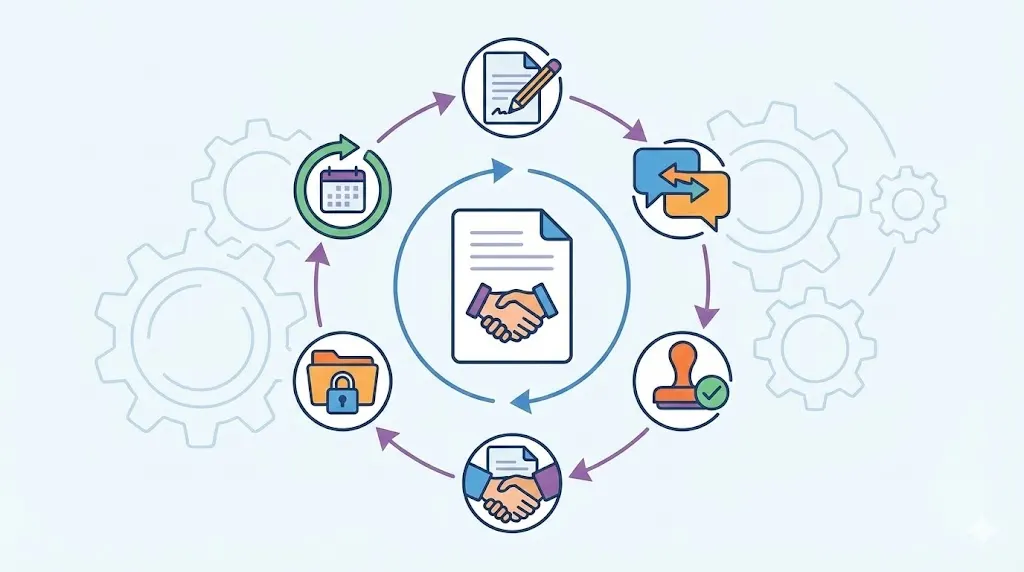
Contract management software can place clause standards inside daily legal work. It can connect playbooks, approval paths, audit trails, and reports within one workflow.
Structured automation can identify AI-generated language and route higher-risk clauses. It can compare wording with approved positions and preserve human review evidence.
Apply consistent rules: Use approved clauses and fallback language across teams. This limits personal interpretation during routine reviews. It also makes training easier for new reviewers. Standard rules create a clearer basis for exceptions.
Route higher-risk clauses: Send sensitive clauses to privacy, security, IT, compliance, or senior legal reviewers. Routing can use data type, jurisdiction, deal value, or clause deviation. The right specialist sees the issue earlier. Reviewers avoid unnecessary handoffs on standard terms.
Track governance results: Monitor cycle times, deviations, approval decisions, and recurring risks. Reports show where controls work and where they fail. Leaders can compare results across teams and contract types. Legal teams can use those findings to update playbooks.
Volody CLM Software supports this work through AI Contract Review, AI Contract Summaries, and Approval Workflow Automation. It can flag risky language, highlight obligations and renewal dates, and route clauses through defined approval paths.
For example, a supplier clause can receive an AI risk flag, a lawyer’s review, and a security approval before signature. The workflow can then preserve the final wording and approval record.
Want to see how contract management software can simplify your legal workflows? Check out Volody's CLM Software.
FAQ
Who is governing the AI that helps shape legal risk?
AI governance should be shared across legal, privacy, security, IT, procurement, compliance, and business owners. Legal usually owns interpretation and approval standards. Technical teams govern tools, data, and access. A written ownership matrix should name decision makers and exception owners.
What rules should legal teams define for AI-assisted drafting?
Rules should identify approved tools, permitted data, users, and drafting standards. They should also define source checks, forbidden uses, and required approvals. Each workflow should preserve outputs, edits, reasons, approvals, and final wording. These records support traceability when questions arise later.
Which contract clauses require mandatory legal or specialist approval?
Mandatory review often covers intellectual property, data use, confidentiality, security, liability, indemnity, and audit rights. Regulatory duties and model training terms may also need specialist review. Escalate language that leaves approved positions or creates unusual duties. Risk level should guide the reviewer’s authority.
How can legal teams test AI-generated clauses before production?
Test representative clauses against approved playbooks, source documents, and applicable law. Include edge cases with missing facts, conflicting terms, and unusual jurisdictions. Review accuracy, omissions, unsupported additions, and related clause effects. Use results to set limits before production use.
What should an audit trail for AI-generated clauses contain?
An audit trail should capture the user, task, sources, tool, model version, output, edits, and comments. It should also record risk class, escalations, approvals, and final wording. Standard metadata makes records easier to search and compare. Access and retention rules should match the data involved.
What metrics should enterprises use to measure AI contract governance?
Put this framework into operation with clear ownership, risk-based review, approved playbooks, and complete audit evidence. Standardize the workflow across teams, measure outcomes against a baseline, and use the results to strengthen controls as AI and contracting requirements evolve.
About the Company

Volody AI CLM is an Agentic AI-powered Contract Lifecycle Management platform designed to eliminate manual contracting tasks, automate complex workflows, and deliver actionable insights. As a one-stop shop for all contract activities, it covers drafting, collaboration, negotiation, approvals, e-signature, compliance tracking, and renewals. Built with enterprise-grade security and no-code configuration, it meets the needs of the most complex global organizations. Volody AI CLM also includes AI-driven contract review and risk analysis, helping teams detect issues early and optimize terms. Trusted by Fortune 500 companies, high-growth startups, and government entities, it transforms contracts into strategic, data-driven business assets.




" height="216.72211px" id="FYO0bO80Y" transform="translate(3 6.105)" width="206.073px"/><path d="M 108.174 222 C 88.432 222 70.303 217.239 53.785 207.717 C 37.267 198.196 24.173 185.052 14.504 168.285 C 4.835 151.312 0 132.165 0 110.845 C 0 89.731 4.835 70.792 14.504 54.025 C 24.173 37.052 37.267 23.804 53.785 14.282 C 70.303 4.761 88.432 0 108.174 0 C 128.116 0 146.246 4.761 162.562 14.282 C 179.08 23.804 192.073 37.052 201.541 54.025 C 211.21 70.792 216.044 89.731 216.044 110.845 C 216.044 132.165 211.21 151.312 201.541 168.285 C 192.073 185.052 179.08 198.196 162.562 207.717 C 146.044 217.239 127.915 222 108.174 222 Z M 108.174 183.189 C 120.864 183.189 132.044 180.291 141.713 174.495 C 151.382 168.492 158.936 160.006 164.375 149.035 C 169.814 138.064 172.533 125.334 172.533 110.845 C 172.533 96.355 169.814 83.729 164.375 72.965 C 158.936 61.994 151.382 53.611 141.713 47.815 C 132.044 42.02 120.864 39.122 108.174 39.122 C 95.483 39.122 84.202 42.02 74.332 47.815 C 64.663 53.611 57.109 61.994 51.67 72.965 C 46.231 83.729 43.511 96.355 43.511 110.845 C 43.511 125.334 46.231 138.064 51.67 149.035 C 57.109 160.006 64.663 168.492 74.332 174.495 C 84.202 180.291 95.483 183.189 108.174 183.189 Z" fill="rgba(255, 255, 255, 0.12)" height="222px" id="aa1McFcE9" transform="translate(227.183 3)" width="216.04399999999998px"/><path d="M 42.302 182.257 L 111.799 182.257 L 111.799 216.722 L 0 216.722 L 0 0 L 42.302 0 Z" fill="rgba(255, 255, 255, 0.12)" height="216.72211px" id="yRq4AnrsX" transform="translate(477.721 6.105)" width="111.79899999999998px"/><path d="M 108.174 222 C 88.432 222 70.303 217.239 53.785 207.717 C 37.267 198.196 24.173 185.052 14.504 168.285 C 4.835 151.312 0 132.165 0 110.845 C 0 89.731 4.835 70.792 14.504 54.025 C 24.173 37.052 37.267 23.804 53.785 14.282 C 70.303 4.761 88.432 0 108.174 0 C 128.116 0 146.246 4.761 162.562 14.282 C 179.08 23.804 192.073 37.052 201.541 54.025 C 211.21 70.792 216.045 89.731 216.045 110.845 C 216.045 132.165 211.21 151.312 201.541 168.285 C 192.073 185.052 179.08 198.196 162.562 207.717 C 146.044 217.239 127.915 222 108.174 222 Z M 108.174 183.189 C 120.864 183.189 132.044 180.291 141.713 174.495 C 151.382 168.492 158.936 160.006 164.375 149.035 C 169.814 138.064 172.534 125.334 172.534 110.845 C 172.534 96.355 169.814 83.729 164.375 72.965 C 158.936 61.994 151.382 53.611 141.713 47.815 C 132.044 42.02 120.864 39.122 108.174 39.122 C 95.483 39.122 84.202 42.02 74.332 47.815 C 64.663 53.611 57.108 61.994 51.67 72.965 C 46.231 83.729 43.511 96.355 43.511 110.845 C 43.511 125.334 46.231 138.064 51.67 149.035 C 57.108 160.006 64.663 168.492 74.332 174.495 C 84.202 180.291 95.483 183.189 108.174 183.189 Z" fill="rgba(255, 255, 255, 0.12)" height="222px" id="mo8HQspQ0" transform="translate(609.155 3)" width="216.04500000000007px"/><path d="M 73.727 0 C 95.885 0 115.324 4.45 132.044 13.351 C 148.967 22.252 161.957 34.982 171.027 51.541 C 180.287 67.894 184.917 86.937 184.917 108.671 C 184.917 130.405 180.287 149.449 171.027 165.801 C 161.957 181.947 148.967 194.47 132.044 203.371 C 115.324 212.271 95.885 216.722 73.727 216.722 L 0 216.722 L 0 0 Z M 72.216 179.773 C 94.374 179.773 111.497 173.564 123.583 161.144 C 135.669 148.724 141.713 131.233 141.713 108.671 C 141.713 86.109 135.669 68.515 123.583 55.888 C 111.497 43.055 94.374 36.638 72.216 36.638 L 42.302 36.638 L 42.302 179.773 Z" fill="rgba(255, 255, 255, 0.12)" height="216.72211px" id="I3iXX5Hi_" transform="translate(859.693 6.105)" width="184.91699999999992px"/><path d="M 185.22 0 L 113.91 141.273 L 113.91 216.722 L 71.61 216.722 L 71.61 141.273 L 0 0 L 47.74 0 L 93.06 99.046 L 138.08 0 Z" fill="rgba(255, 255, 255, 0.12)" height="216.72211px" id="nzHyWC0_d" transform="translate(1061.78 6.105)" width="185.22000000000003px"/></svg>)