

Effective contract access governance protects sensitive agreements while enabling efficient collaboration across legal, finance, procurement, sales, and operations. A structured permissions model limits exposure, clarifies accountability, and reduces manual delays. This guide outlines how to design, test, automate, and continuously improve departmental contract access.
TL;DR
Define access needs by department, role, contract type, and lifecycle stage before setting any permissions.
Use role-based access control to separate viewing, editing, approval, signing, sharing, and administration rights.
Combine department, entity, contract, folder, document, and team rules for controlled cross-department collaboration.
Fix permission sprawl, stale access, departmental silos, unclear ownership, and excessive administrator dependence.
Automate onboarding, transfers, offboarding, temporary sharing, access reviews, approval requests, and permission expiration.
Use contract management software to centralize rules, workflows, audit trails, and secure collaboration.
Establish the Foundations of Contract Access Governance
Start with clear information rules before changing system settings. Good governance defines what needs protection and who decides access. It also gives each contract an accountable owner.
Define the Information That Requires Protection
Contracts can contain pricing, intellectual property, personal data, and renewal terms. They may also record negotiation history and confidential business commitments. Treat each type of information according to its business risk.
Repository access is the broadest permission. It controls whether users can find contract records at all. Metadata visibility controls fields such as parties, dates, and contract type.
Document viewing reveals the agreement’s actual content. Editing permits changes to drafts or approved amendments. Downloading and exporting create extra risks outside the main repository.
Approval rights let users accept business or legal decisions. Administration rights allow changes to users, rules, and security settings. Classify each contract by sensitivity, owner, lifecycle stage, and permitted audience.
Assign Ownership for Access Decisions
Every contract needs one accountable owner. That owner confirms who needs access and why. The owner also resolves conflicts when departments request broader access.
System administrators manage settings, groups, identity links, and audit records. Department managers confirm work needs for their teams. Legal owners guide access for sensitive terms and legal enforceability records.
Contract managers often coordinate requests and review permission changes. Business users should request access through a defined process. They should not share accounts or bypass repository controls.
A clear responsibility model prevents uncertain decisions. It also helps reviewers identify missing approvals and stale access. Record the owner beside each contract, folder, or contract group.
Related articles: The Contract Visibility Crisis in Legal Teams
Build a Role-Based Permission Model for Departments
Role-Based Access Control for word Contracts assigns rights to job roles. This approach creates repeatable rules across departments and entities. It also reduces one-off permissions for individual employees.
Map Business Roles to Required Actions
Begin by listing the work each role must complete. A drafter may create and edit assigned contract drafts. A reviewer may comment without changing approved wording.
An approver needs decision rights within a defined workflow. A read-only user may view records and selected metadata. An administrator manages settings but should not approve every agreement.
Use role profiles instead of building rules user by user. Each profile should name its purpose and allowed actions. Review the profile before assigning it to any employee.
Separate Viewing, Editing, Approval, and Administration
Viewing a contract should not allow every other action. A reader may need facts without changing the document. An editor may need draft access without approval rights.
Approval should remain separate from editing to reduce conflicts of interest whenever possible. This separation reduces accidental changes and conflicts of interest. It also makes approval records easier to understand later.
Export and sharing rights need separate controls too. A user may view a contract without downloading its contents. A manager may approve work without changing security settings.
Use Additional Attributes for Complex Organizations
Roles alone may not fit large or complex organizations. Add department, region, entity, project, and contract type rules. Employment status can also control access during leave or exit.
A finance reviewer may access payment terms across several departments. That person does not need every contract in the repository. Use attributes to narrow access to relevant agreements.
Users supporting multiple departments may need several roles. Assign each role for a clear business purpose. Do not grant broad Contract repository Software access simply because responsibilities overlap.
Related articles: Mastering Contract Version Control That Actually Works
Connect Departments, Contracts, and User Groups
Departmental permissions work best when groups match real work. Build groups around ownership, support duties, and entity boundaries. Then connect those groups to contract records and workflows.
Organize Users Around How Work Is Performed
Create groups for departments, functions, regions, entities, and teams. A procurement group may handle supplier contracts across several regions. A legal group may review every agreement for one business unit.
Groups make changes easier when employees move teams. Administrators can update group membership instead of many individual rules. This also creates clearer records during access reviews.
Keep group names simple and easy to understand. Include the department, purpose, and access scope in each name. Avoid groups with unclear owners or mixed business purposes.
Assign Primary and Additional Department Access
Give each user one primary department where possible. That department reflects the person’s main business responsibility. Additional access can support approved work across other teams.
Contract records should also show primary ownership. They may include additional departments with valid business roles. These fields support consistent visibility and workflow decisions.
For example, legal may own a supplier agreement. Procurement may manage the supplier relationship and renewal work. Finance may view payment terms without seeing negotiation history.
Create Controlled Cross-Department Collaboration
Cross-department work does not require open repository access. Share only the contract, task, comment thread, or approval step. This gives teams useful access without exposing unrelated agreements.
Legal can review terms while procurement manages supplier details. Finance can confirm payment language during a routed task. Operations can approve service requirements within the same workflow.
Set clear limits for each collaboration role. Allow comments when feedback is needed, not full editing. Remove access when the assigned task or project ends.
Support Multiple Entities Without Mixing Data
Subsidiaries, brands, and clients often need separate contract spaces. Use entity rules to keep records apart by default. Authorized administrators can still view approved cross-entity reports.
Entity boundaries should apply to users and contracts. They should also apply to folders, workflows, and search results. Test these boundaries with real user accounts before launch.
A parent company may Contract Management shared legalTeam standards. Local teams may still control their own supplier agreements. This model supports oversight without mixing sensitive business data.
Related articles: How to Protect Sensitive Contracts: Best Practices
Key Challenges in Departmental Contract Access
Access problems usually grow from small, informal choices. A shared folder or temporary exception can become permanent. Regular review keeps those choices from becoming hidden risk.
Permission Sprawl and Inconsistent Exceptions
Permission sprawl means users collect access over time. It often starts with urgent requests and missing expiration dates. Inherited folder rights can make the final result hard to see.
Shared accounts create another serious control problem. They hide who viewed, changed, or downloaded a contract. Undocumented exceptions also weaken audit evidence.
Give every exception a reason, owner, and end date. Review inherited permissions before adding new access. Use named accounts for every employee, contractor, and adviser.
Departmental Silos and Delayed Collaboration
Overly strict workspaces can block useful business work. Employees may not find obligations, approvals, or renewal details. They may then request files through unsafe email chains.
The answer is not broad access for everyone. Use targeted tasks, comments, search fields, and approval rights. Give users the smallest view that supports their work.
Create request paths for records users cannot access. Route requests to owners or approved data stewards. This preserves confidentiality while reducing unnecessary delays.
Related articles: Contract Management Software for Faster Legal Work
Apply Five Access Governance Practices That Scale
Strong Contract Permission Management combines clear rules with automation. It should cover users, contractors, temporary access, and sensitive records. The following practices create a durable control model.
Combine Least Privilege With Standard Roles
Least privilege gives users only the access they need. Start with reusable roles before granting individual permissions. This makes access easier to explain and review.
Every exception should name its owner and business reason. It should also include scope, expiration, and review requirements. Do not allow permanent exceptions without senior approval.
Check whether users need view, comment, edit, or approval rights. Ask whether access applies to one contract or many. These questions prevent broad permissions from becoming the default.
Automate Joiner, Mover, and Leaver Controls
New employees should receive access through approved role groups. Department transfers should trigger a review of old permissions. Offboarding should remove access before the final account closure.
Extended leave may require temporary suspension or narrower access. Contractors should receive limited access for defined work periods. Their permissions should expire without manual follow-up.
Connect identity systems with contract access rules where possible. Use department and employment data to update memberships. Send alerts when a change fails or needs human review.
Control External and Temporary Sharing
External sharing should name the document, purpose, recipient, and duration. Do not share a whole repository with a vendor. Give outside counsel only the records needed for assigned work.
Use automatic expiration for temporary external access. Restrict downloading when recipients only need online review. Require owners to approve extensions before access continues.
Track every shared agreement and external recipient. Remove access when negotiations or services end. Use named identities instead of public links or shared passwords.
Review Permissions and Audit Activity
Run access reviews based on sensitivity and business risk. Sensitive employment or acquisition records need closer attention. Lower-risk records may follow a simpler review cycle.
Review sign-ins, views, downloads, edits, and failed access attempts. Also review permission changes and approval history. These records show what happened and who acted.
Keep audit evidence with the related contract record. Ask department owners to confirm current access needs. Record every removal, approval, and unresolved issue.
Related articles: Essential Contract Resources Every Sales Team Needs to Win
Put Permission Controls Into Contract Workflows
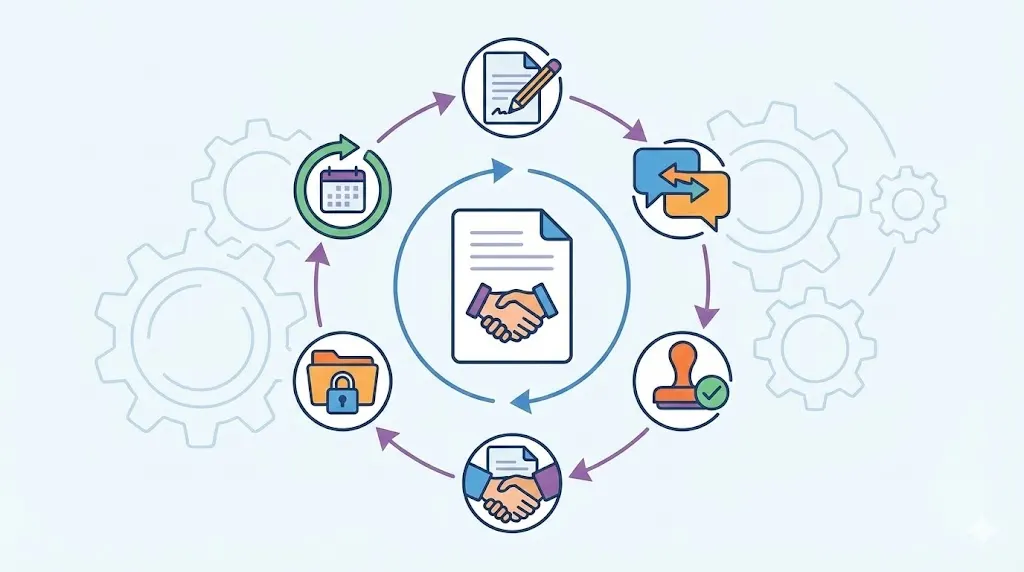
Permissions should follow the contract’s current stage. A draft needs different access from a signed agreement. Workflow rules can change access without manual requests.
Align Access With the Contract Lifecycle
Drafting usually requires controlled editing by assigned contributors. Negotiation may add legal reviewers and selected business users. Approval should limit action rights to named approvers.
Execution should provide signing rights to authorized signatories. Post-signature access may focus on viewing and reporting. Amendments should create a fresh, controlled editing stage.
Renewal workflows can notify owners without opening old drafts. Archiving should preserve records while limiting changes. These stage rules reduce accidental edits to final agreements.
Route Work to the Right Department and Role
Department-aware routing sends tasks to responsible teams. Procurement can validate supplier terms before legal approval. Finance can check payment language and budget details.
A routed task does not require repository-wide access. Users can receive the information needed for that decision. The workflow can hide unrelated contracts and sensitive fields.
Use delegated approvals for planned absences. Set clear limits for delegated authority and timing. Keep the original approver visible in the approval record.
Protect Version Integrity and Support Self Service
Version history shows who changed each draft and when. Final agreements should become read-only after signature. Only approved amendment workflows should create new versions.
Limit downloads of outdated drafts and working copies. Use search filters to show current, approved records first. Dashboards can show renewals without exposing full contract text.
Self-service request forms reduce informal email sharing. Employees can ask for access with a clear business reason. Owners can approve, reject, or limit each request.
Related articles: Top 10 Contract Management Software for Legal Teams
Monitor, Test, and Improve Departmental Permissions
Contract access control needs continuous oversight after launch. Teams change, projects end, and employees change roles. Security rules must change with them.
Review New Users and Role Changes
Review access when employees join new teams. Compare their current role with assigned contract groups. Remove rights that no longer support their work.
Department owners should confirm unusual or broad access. Ask why each permission remains active. Document the decision for later review.
Check Inactive Accounts and Temporary Access
Inactive accounts can retain access without business need. Check accounts with no recent activity or current owner. Suspend access when the related work has ended.
Temporary permissions need automatic end dates. Review any access that remains after its expected end. Escalate failed expiration events to administrators.
Validate Sensitive Contracts and Policies
Test access to employment, pricing, and acquisition agreements. Use sample accounts from each department and role. Confirm that search, viewing, export, and sharing rules work.
Policy testing should include denied actions too. A control is not proven until it blocks misuse. Record test results and fix gaps quickly.
Related articles: Contract Management for Nonprofits: A Practical Guide
Why Contract Management Software Matters
Contract management software brings access rules into one governed system. It can connect departments, roles, contracts, workflows, and audit records. This reduces dependence on shared drives and email attachments.
A central repository can apply Contract Repository Permissions by entity, group, folder, or document. Role rules can limit viewing, editing, approval, export, and administration. Workflow routing can provide task access without opening the full repository.
Automation also helps manage joiners, movers, and leavers. It can send approval requests and expire temporary access. Audit trails record views, edits, downloads, sharing, and approvals.
Authorized administrators gain an organization-wide view. Department teams still retain controlled boundaries around sensitive records. This balance supports collaboration without weakening Contract Document Security.
Volody CLM Software supports centralized repositories, approval workflow automation, and AI Contract Summaries. Its Central Contract Repository helps teams find approved records with controlled access. Approval Workflow Automation routes requests and records each decision. AI Contract Summaries highlight obligations, renewal dates, and key risks.
For example, legal can restrict an employment agreement to approved HR users. Finance can receive a routed payment review without full repository access. The system can preserve the approval trail for later review.
Evaluate how Volody's CLM Software can strengthen contract access governance, streamline approvals, and support secure collaboration across your organization.
FAQ
How can access be restricted to specific contract types or departments?
Use role-based access control with department, entity, and contract type rules. Assign users to groups with only the needed viewing, editing, approval, or reporting rights. Folder and document rules can protect sensitive agreements further. Workflow access can support temporary collaboration without granting broad repository access.
Which users should access sensitive contracts such as employment agreements?
Access should go only to people with a clear business need. This may include approved HR staff, legal counsel, selected managers, and authorized executives. Finance or compliance users may receive limited access for assigned tasks. Restrict downloads and review access often because these agreements contain personal information.
How should permissions change across contract lifecycle stages?
Drafting and negotiation usually require controlled editing, comments, and review. Approval should go only to named approvers, while execution should limit signing rights. After signature, users often need viewing, reporting, or obligation access. Editing should require an approved amendment process with a new version.
What access levels should a contract permission model include?
A useful model separates view, comment, edit, approve, sign, export, share, report, and administer rights. Not every role needs every permission. Users may hold different roles across departments or contract types. A written matrix makes assignments clearer and helps reviewers spot excessive access.
How should access requests and exceptions be approved?
Send each request to the contract owner, department manager, or data steward. Require a business reason, defined scope, expiration date, and approval record. Temporary permissions should expire automatically after the approved period. Permanent exceptions need regular review and should remain visible in audit records.
How can audit logs show who accessed contract information?
Audit logs should record sign-ins, views, downloads, edits, sharing, and permission changes. They should also capture approvals, signatures, and failed access attempts. Each event should identify the user, time, contract, and action. These records help investigations, compliance reviews, and security response.
About the Company

Volody AI CLM is an Agentic AI-powered Contract Lifecycle Management platform designed to eliminate manual contracting tasks, automate complex workflows, and deliver actionable insights. As a one-stop shop for all contract activities, it covers drafting, collaboration, negotiation, approvals, e-signature, compliance tracking, and renewals. Built with enterprise-grade security and no-code configuration, it meets the needs of the most complex global organizations. Volody AI CLM also includes AI-driven contract review and risk analysis, helping teams detect issues early and optimize terms. Trusted by Fortune 500 companies, high-growth startups, and government entities, it transforms contracts into strategic, data-driven business assets.






" height="216.72211px" id="FYO0bO80Y" transform="translate(3 6.105)" width="206.073px"/><path d="M 108.174 222 C 88.432 222 70.303 217.239 53.785 207.717 C 37.267 198.196 24.173 185.052 14.504 168.285 C 4.835 151.312 0 132.165 0 110.845 C 0 89.731 4.835 70.792 14.504 54.025 C 24.173 37.052 37.267 23.804 53.785 14.282 C 70.303 4.761 88.432 0 108.174 0 C 128.116 0 146.246 4.761 162.562 14.282 C 179.08 23.804 192.073 37.052 201.541 54.025 C 211.21 70.792 216.044 89.731 216.044 110.845 C 216.044 132.165 211.21 151.312 201.541 168.285 C 192.073 185.052 179.08 198.196 162.562 207.717 C 146.044 217.239 127.915 222 108.174 222 Z M 108.174 183.189 C 120.864 183.189 132.044 180.291 141.713 174.495 C 151.382 168.492 158.936 160.006 164.375 149.035 C 169.814 138.064 172.533 125.334 172.533 110.845 C 172.533 96.355 169.814 83.729 164.375 72.965 C 158.936 61.994 151.382 53.611 141.713 47.815 C 132.044 42.02 120.864 39.122 108.174 39.122 C 95.483 39.122 84.202 42.02 74.332 47.815 C 64.663 53.611 57.109 61.994 51.67 72.965 C 46.231 83.729 43.511 96.355 43.511 110.845 C 43.511 125.334 46.231 138.064 51.67 149.035 C 57.109 160.006 64.663 168.492 74.332 174.495 C 84.202 180.291 95.483 183.189 108.174 183.189 Z" fill="rgba(255, 255, 255, 0.12)" height="222px" id="aa1McFcE9" transform="translate(227.183 3)" width="216.04399999999998px"/><path d="M 42.302 182.257 L 111.799 182.257 L 111.799 216.722 L 0 216.722 L 0 0 L 42.302 0 Z" fill="rgba(255, 255, 255, 0.12)" height="216.72211px" id="yRq4AnrsX" transform="translate(477.721 6.105)" width="111.79899999999998px"/><path d="M 108.174 222 C 88.432 222 70.303 217.239 53.785 207.717 C 37.267 198.196 24.173 185.052 14.504 168.285 C 4.835 151.312 0 132.165 0 110.845 C 0 89.731 4.835 70.792 14.504 54.025 C 24.173 37.052 37.267 23.804 53.785 14.282 C 70.303 4.761 88.432 0 108.174 0 C 128.116 0 146.246 4.761 162.562 14.282 C 179.08 23.804 192.073 37.052 201.541 54.025 C 211.21 70.792 216.045 89.731 216.045 110.845 C 216.045 132.165 211.21 151.312 201.541 168.285 C 192.073 185.052 179.08 198.196 162.562 207.717 C 146.044 217.239 127.915 222 108.174 222 Z M 108.174 183.189 C 120.864 183.189 132.044 180.291 141.713 174.495 C 151.382 168.492 158.936 160.006 164.375 149.035 C 169.814 138.064 172.534 125.334 172.534 110.845 C 172.534 96.355 169.814 83.729 164.375 72.965 C 158.936 61.994 151.382 53.611 141.713 47.815 C 132.044 42.02 120.864 39.122 108.174 39.122 C 95.483 39.122 84.202 42.02 74.332 47.815 C 64.663 53.611 57.108 61.994 51.67 72.965 C 46.231 83.729 43.511 96.355 43.511 110.845 C 43.511 125.334 46.231 138.064 51.67 149.035 C 57.108 160.006 64.663 168.492 74.332 174.495 C 84.202 180.291 95.483 183.189 108.174 183.189 Z" fill="rgba(255, 255, 255, 0.12)" height="222px" id="mo8HQspQ0" transform="translate(609.155 3)" width="216.04500000000007px"/><path d="M 73.727 0 C 95.885 0 115.324 4.45 132.044 13.351 C 148.967 22.252 161.957 34.982 171.027 51.541 C 180.287 67.894 184.917 86.937 184.917 108.671 C 184.917 130.405 180.287 149.449 171.027 165.801 C 161.957 181.947 148.967 194.47 132.044 203.371 C 115.324 212.271 95.885 216.722 73.727 216.722 L 0 216.722 L 0 0 Z M 72.216 179.773 C 94.374 179.773 111.497 173.564 123.583 161.144 C 135.669 148.724 141.713 131.233 141.713 108.671 C 141.713 86.109 135.669 68.515 123.583 55.888 C 111.497 43.055 94.374 36.638 72.216 36.638 L 42.302 36.638 L 42.302 179.773 Z" fill="rgba(255, 255, 255, 0.12)" height="216.72211px" id="I3iXX5Hi_" transform="translate(859.693 6.105)" width="184.91699999999992px"/><path d="M 185.22 0 L 113.91 141.273 L 113.91 216.722 L 71.61 216.722 L 71.61 141.273 L 0 0 L 47.74 0 L 93.06 99.046 L 138.08 0 Z" fill="rgba(255, 255, 255, 0.12)" height="216.72211px" id="nzHyWC0_d" transform="translate(1061.78 6.105)" width="185.22000000000003px"/></svg>)