

Team approvals often slow down when work moves between several tools. E-signature software connects document review, routing, signing, and tracking. It also shows each person what to do next. That clarity helps teams approve documents faster, with fewer errors and missed requests.
TL;DR
E-signature software connects signatures, approvals, routing, and tracking in one digital approval workflow.
Sequential signing, parallel routing, and clear roles help each person act at the right time.
Automated reminders and status views reduce follow-up work and expose approval bottlenecks.
Templates, required fields, and guided signing reduce errors across repeat approval processes.
Authentication, encryption, permissions, and audit trails support secure and legally valid approvals.
Strong implementation starts with clear rules, useful integrations, user training, and ongoing workflow reviews.
Why Traditional Team Approvals Create Delays
Context switching across disconnected tools
Traditional approvals often begin with an email attachment. A reviewer then opens a document repository, checks a chat message, and returns to email.
This pattern breaks focus. It also creates repeated work for the request owner. Someone must copy details, attach files, and check each response.
Team members may also use different tools. One person works in email. Another uses a chat channel. A third searches a shared drive.
That split makes approval work harder to follow. People lose time finding the right file or message. They may also miss a change buried in a busy thread.
An E-Signature Approval Workflow keeps the main actions together. The requester can prepare the file, choose participants, and send the request through one process.
The workflow can then notify each person. It can show the current step and store the finished record. Fewer tool changes mean fewer points of failure.
Visibility gaps and manual follow-up
Email rarely shows the full approval path. It may show that someone received a file, but not what happens next.
The requester may not know who owns the current step. They may also lack proof that a signer opened the document.
Manual reminders create another burden. The requester must remember dates, resend links, and ask for updates. This work adds no real value to the approval.
A digital approval workflow gives each request a visible status. Common statuses include waiting, viewed, approved, rejected, and completed.
It can also show the next signer and the remaining actions. That view helps managers spot stalled requests before deadlines pass.
Disconnected approvals create several forms of delay:
Delay source | How it slows approvals |
|---|---|
Duplicate data entry | Staff enter the same details in several systems |
Unclear ownership | Teams cannot see who must act next |
Version confusion | Reviewers may open different document copies |
Missed notifications | Important requests remain unseen or forgotten |
Related articles: How Legal and Finance Can Collaborate Better on Contracts
How Integrated E-Signature Approval Workflows Operate
Starting an approval request in the team workspace
An approval usually starts with a document and a clear business need. The requester creates the file or selects a shared template.
They then add reviewers, approvers, and signers. Required fields guide each person toward the correct action.
An integration can keep this work inside a familiar team workspace. For example, a user may start the request through Microsoft Teams.
The system can attach the document and send alerts to selected participants. Users avoid copying links across several applications.
The requester should define the desired result before sending. That result could be a signed agreement, an approved purchase request, or a completed employee form.
Clear goals help teams choose the right route. They also reduce unnecessary review steps.
Routing documents to the right people
Sequential signing sends the document to one person at a time. This route suits approvals with a fixed order.
A department manager may approve first. Finance may then review the cost. An executive may sign last.
Parallel routing sends the document to several people together. This works when reviewers can act independently.
Some workflows use conditions. A high-value purchase may need extra approval. A low-value request may need only one manager.
Delegated approval helps when an assigned person is unavailable. Reassignment rules can move the request without restarting the process.
The system can advance the document after each required action. That removes manual forwarding and reduces waiting between steps.
Tracking progress in real time
Status views show where each request stands. They can display the signer order, pending actions, and completed steps.
Comments can keep questions with the document. This prevents key decisions from getting lost in separate chat threads.
Completion notices tell the requester when the final action occurs. The finished file can then move into a central storage location.
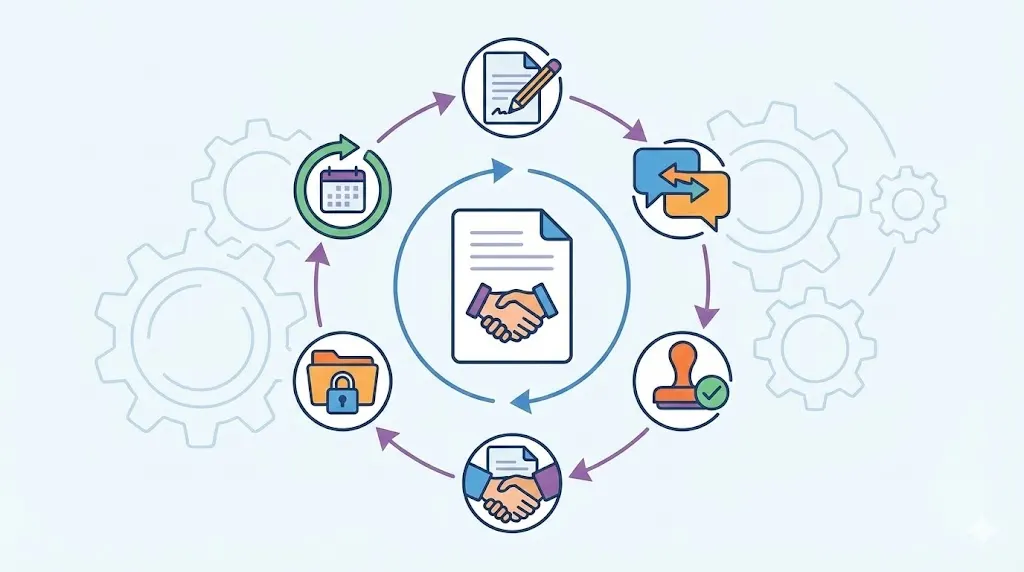
A typical workflow moves through these stages:
Prepare the document and confirm its purpose.
Add fields, reviewers, signers, and approval rules.
Route the request in sequence or in parallel.
Review the document and add comments.
Complete approvals and legally binding signatures.
Store the final document and audit record.
Related articles: How E-Signature Software Accelerates Business Growth
The Productivity Gains of Embedded Signatures
Less time spent changing applications
Embedded signing keeps approval work near the team’s normal workspace. Users can open the request without searching through several tools.
They can review fields, approved documents, or sign from one connected experience. This reduces interruptions during routine work.
The benefit grows when teams process many similar requests. Each avoided tool change saves a small amount of time.
Those small savings can add up across procurement, sales, finance, and human resources. Some integrated workflows report savings of up to 50 percent.
Actual results depend on process complexity and user adoption. Teams should measure their own results after launch.
Fewer repetitive administrative tasks
Reusable templates reduce repeated document setup. They can include standard text, signer roles, fields, and approval rules.
Saved signer details reduce re-keying. Prefilled fields also limit mistakes in names, dates, and business information.
Automated reminders handle common follow-up work. The system can remind a signer before a deadline.
Escalations can alert a manager when an action remains pending. This gives owners a clear next step without constant manual checks.
Faster decisions across departments
Procurement teams can route supplier forms to budget owners. Sales teams can move agreements through legal and finance.
Human resources can send employee documents for review and signature. Finance teams can manage payment forms and approval records.
Legal operations can standardize routine agreements. Operations teams can manage policy updates and internal requests.
Mobile signing supports staff who work away from their desks. Remote and hybrid teams can act from different locations.
More consistent approval execution
Standard routes create the same experience for each similar request. Teams know who reviews the document and when.
Templates also reduce variation in wording and field placement. Required fields stop users from sending incomplete forms.
The main feature gains look like this:
Feature | Operational effect |
|---|---|
Reusable templates | More consistent documents |
Required fields | Fewer incomplete submissions |
Automated reminders | Fewer stalled requests |
Parallel routing | Faster independent reviews |
Status tracking | Clearer workflow ownership |
Mobile signing | Easier remote participation |
Related articles: Enterprise Legal Operations Software Explained
Building Clearer Accountability Into Approvals
Defining roles and approval ownership
Every request needs a clear owner. The owner starts the workflow and answers questions about its purpose.
Reviewers check content or business details. Approvers confirm that the request meets internal rules.
Signers provide the formal signature. A final approver may confirm completion before storage.
These roles should not remain implied. The workflow should name each person and define each action.
Clear role names also help with staff changes. A manager can see which requests need reassignment.
Approval systems can assign deadlines to each step. They can also notify an owner when someone misses a deadline.
Creating an auditable decision trail
An audit trail records what happened during the approval. It can show timestamps, user actions, comments, and document changes.
Signer authentication connects an action to a verified identity. Completed records can include a certificate or signing history.
Version records help teams confirm which document received approval. This matters when people revise a file during review.
The final record should show the full path. It should include approvals, rejections, changes, and completed signatures.
Use this accountability checklist before launch:
Name one owner for every approval request.
Identify every required reviewer, approver, and signer.
Define the approval order and any parallel steps.
Set deadlines for actions that could cause delays.
Create escalation rules for overdue or unavailable approvers.
Retain the final document and its audit record.
Related articles: Wet Signatures: What Businesses Need to Understand in 2026
Security and Compliance Considerations
Protecting documents and signer identities
Team approvals often involve sensitive business data. Examples include employee records, pricing, contracts, and financial details.
Access controls limit files to approved users. Permission settings can separate viewers, reviewers, approvers, and signers.
Authentication checks a person’s identity before action. Stronger methods may include a password, code, or organization login.
Encryption protects information while it moves and while it rests. This reduces exposure during storage and transmission.
Teams should also review connected applications. An integration may pass documents or user data between systems.
Administrators should remove unused access quickly. They should also review permissions after team changes.
Preserving reliable audit evidence
A reliable record shows who acted and when. It should also show the exact document involved.
Event logs can capture views, comments, approvals, rejections, and signatures. Timestamps help place those actions in order.
Tamper-evident records show whether the completed file changed later. A signing certificate can provide more evidence about the signature event.
Teams should store the final file with its audit history. Keeping only the signed document may remove useful context.
The record should remain easy to find. Search and retention settings support later reviews, audits, or disputes.
Matching workflows to legal and internal requirements
Electronic signatures are generally binding when applicable rules are met. Requirements can differ by location, document type, and industry.
A workflow should show signer intent and preserve document integrity. It should also support identity checks and reliable records.
Approval activity is not always the same as a legal signature. A manager may approve content, while another person signs the agreement.
Internal rules may set extra controls. These can cover data location, retention periods, access rights, or approval limits.
Use this compliance review checklist:
Confirm the required level of identity assurance.
Capture clear consent to sign electronically.
Protect document integrity during every workflow step.
Retain audit records with the final document.
Apply approved retention and deletion rules.
Review access permissions for every participant.
Check data flows across connected systems.
Related articles: E-Signature Compliance: Essential Regulatory Considerations
Best Practices for Implementing Team Approval Automation
Start with high-friction approval processes
Do not automate every process at once. Start with work that causes frequent delays or repeated follow-up.
Good examples include supplier forms, sales agreements, employee documents, and purchase requests. These workflows often have clear participants and repeat steps.
Measure the current process first. Record cycle time, stalled requests, errors, and reminder volume.
That baseline gives teams a fair comparison later. It also helps leaders choose a process with visible value.
Standardize templates and routing rules
A template should contain approved text and useful fields. It should also assign the right signer roles.
Routing rules should match real authority. A purchase threshold may determine whether contract finance or executive review applies.
Required fields prevent incomplete submissions. Conditional steps keep simple requests from taking a long route.
Teams should document exceptions before building automation. Hidden rules often create problems after launch.
Train users and monitor adoption
Training should focus on daily tasks. Show users how to start, review, reject, approve, and sign requests.
Each role needs clear guidance. Requesters need setup help, while signers need simple action instructions.
Provide a fallback process for urgent issues. That process should have an owner and a clear response time.
Track results after launch. Useful measures include cycle time, completion rate, reminder frequency, and exception volume.
Use this implementation action list:
Select one approval process with clear delays.
Map every role, decision, field, and exception.
Build the workflow with approved templates.
Test the route with real user roles.
Train users before wider release.
Measure results and refine the process.
Related articles: What are Sign-In Wrap Agreements? Key Strategies For Success
Common Implementation Challenges and Practical Remedies
Integration and configuration complexity
An e-signature platform may need several setup steps. These can include licenses, permissions, identity settings, and administrator support.
API connections may also require testing. An API is a controlled link between two software tools.
A failed connection can stop notifications or prevent document access. Teams should test each action before opening the workflow broadly.
Inconsistent internal processes
Departments may follow different approval habits. One team may require finance review, while another skips it.
Informal exceptions can weaken workflow automation. Unclear authority can also send requests to the wrong person.
Document decision rules before configuration. This step reveals conflicts before they affect live requests.
User resistance and adoption gaps
People may continue using email when a new process feels difficult. They may also avoid a tool they do not understand.
Simple screens reduce this concern. Role-based guidance helps users see only the actions they need.
Leaders should model the new process. They should also explain why the change protects time and records.
Exceptions, escalations, and failed requests
Approvers may be away, or signer details may be wrong. A document may also be rejected, expire, or need urgent review.
A strong workflow includes reassignment rules. It should also support escalations and clear exception reports.
Teams need a way to fix errors without starting over. This saves time and protects the approval contract history.
Challenge | Practical remedy | Owner |
|---|---|---|
Missing system permissions | Review roles and access settings | System administrator |
Wrong approval route | Document authority rules | Process owner |
Users avoid the workflow | Provide role-based training | Team manager |
Approver is unavailable | Add delegation and escalation rules | Workflow owner |
Incorrect signer details | Validate fields before sending | Requester |
Rejected or expired request | Create a revision and resend path | Legal or operations lead |
Related articles: Sale on approval contracts: A comprehensive Guide Copy
Why Contract Management Software Matters
E-signature tools solve the final approval and signing steps. Contract management software connects those steps with the wider contract lifecycle.
That lifecycle can include drafting, negotiation, approval, signing, renewal, and obligation tracking. One system can keep these activities connected.
This approach helps legal, procurement, finance, and business teams work from the same record. It also reduces handoffs between separate tools.
Centralized records make agreements easier to find. Workflow legal automation makes review paths easier to repeat.
Approval visibility helps teams see pending work before deadlines arrive. It also supports better control over contract risks and commitments.
Volody's CLM Software supports this broader process. Its AI Contract Review can flag risky clauses and missing provisions. Its Approval Workflow Automation can route agreements through several approval levels. Its Central Contract Repository can store signed records with search and access controls.
For example, legal can review a supplier agreement, route it to finance, and store the signed version centrally.
Want to see how contract management software can simplify your legal workflows? Check out Volody's CLM Software.
FAQ
What is e-signature software?
E-signature software lets people sign documents electronically. It can also manage routing, required fields, reminders, authentication, and completion records. Teams use it to replace printing, scanning, mailing, and manual follow-up. Many platforms connect with workplace, storage, CRM, and collaboration tools for one approval process.
Are electronic signatures legally binding?
Electronic signatures are generally legally binding when applicable rules are met. The process should show signer intent and verify the signer’s identity. It should also protect document integrity and preserve an audit trail. Requirements can vary by location, document type, and industry, so teams should review local rules.
How does BoldSign facilitate seamless collaboration?
BoldSign can support collaboration through routing, notifications, reminders, and status tracking. Teams can use templates, required fields, and sequential or parallel signing orders. Audit trails help show who acted and when. Integrations and mobile access can also help people review and sign without manual email follow-up.
Can e-signature software work with Microsoft Teams?
Yes, e-signature software can connect with Microsoft Teams. Users may start requests, receive alerts, open documents, and check status from the team workspace. The exact functions depend on the platform and its integration. Licensing, administrator permissions, and setup can also affect what users can do.
What features should teams prioritize in e-signature software?
Teams should look for templates, guided fields, routing, reminders, and real-time status views. Sequential signing and parallel routing support different approval needs. Authentication, permissions, encryption, and audit trails protect records. Connections with Microsoft 365, Google Workspace, CRM tools, storage, and Teams can improve adoption.
How can teams measure whether e-signature software improves approvals?
Teams can compare cycle time before and after launch. They can also track completion rates, stalled requests, reminder volume, errors, and exceptions. Adoption and manual follow-up time reveal whether users accept the process. Reviewing results by department can expose bottlenecks and guide workflow changes.
What types of team approvals benefit most from e-signature software?
Repeatable, multi-person approvals usually gain the most value. Examples include contracts, supplier forms, employee documents, sales agreements, finance records, and policy updates. These requests often need clear roles, deadlines, signatures, and retained evidence. The benefits increase when teams handle high request volumes or remote participation.
About the Company

Volody AI CLM is an Agentic AI-powered Contract Lifecycle Management platform designed to eliminate manual contracting tasks, automate complex workflows, and deliver actionable insights. As a one-stop shop for all contract activities, it covers drafting, collaboration, negotiation, approvals, e-signature, compliance tracking, and renewals. Built with enterprise-grade security and no-code configuration, it meets the needs of the most complex global organizations. Volody AI CLM also includes AI-driven contract review and risk analysis, helping teams detect issues early and optimize terms. Trusted by Fortune 500 companies, high-growth startups, and government entities, it transforms contracts into strategic, data-driven business assets.






" height="216.72211px" id="FYO0bO80Y" transform="translate(3 6.105)" width="206.073px"/><path d="M 108.174 222 C 88.432 222 70.303 217.239 53.785 207.717 C 37.267 198.196 24.173 185.052 14.504 168.285 C 4.835 151.312 0 132.165 0 110.845 C 0 89.731 4.835 70.792 14.504 54.025 C 24.173 37.052 37.267 23.804 53.785 14.282 C 70.303 4.761 88.432 0 108.174 0 C 128.116 0 146.246 4.761 162.562 14.282 C 179.08 23.804 192.073 37.052 201.541 54.025 C 211.21 70.792 216.044 89.731 216.044 110.845 C 216.044 132.165 211.21 151.312 201.541 168.285 C 192.073 185.052 179.08 198.196 162.562 207.717 C 146.044 217.239 127.915 222 108.174 222 Z M 108.174 183.189 C 120.864 183.189 132.044 180.291 141.713 174.495 C 151.382 168.492 158.936 160.006 164.375 149.035 C 169.814 138.064 172.533 125.334 172.533 110.845 C 172.533 96.355 169.814 83.729 164.375 72.965 C 158.936 61.994 151.382 53.611 141.713 47.815 C 132.044 42.02 120.864 39.122 108.174 39.122 C 95.483 39.122 84.202 42.02 74.332 47.815 C 64.663 53.611 57.109 61.994 51.67 72.965 C 46.231 83.729 43.511 96.355 43.511 110.845 C 43.511 125.334 46.231 138.064 51.67 149.035 C 57.109 160.006 64.663 168.492 74.332 174.495 C 84.202 180.291 95.483 183.189 108.174 183.189 Z" fill="rgba(255, 255, 255, 0.12)" height="222px" id="aa1McFcE9" transform="translate(227.183 3)" width="216.04399999999998px"/><path d="M 42.302 182.257 L 111.799 182.257 L 111.799 216.722 L 0 216.722 L 0 0 L 42.302 0 Z" fill="rgba(255, 255, 255, 0.12)" height="216.72211px" id="yRq4AnrsX" transform="translate(477.721 6.105)" width="111.79899999999998px"/><path d="M 108.174 222 C 88.432 222 70.303 217.239 53.785 207.717 C 37.267 198.196 24.173 185.052 14.504 168.285 C 4.835 151.312 0 132.165 0 110.845 C 0 89.731 4.835 70.792 14.504 54.025 C 24.173 37.052 37.267 23.804 53.785 14.282 C 70.303 4.761 88.432 0 108.174 0 C 128.116 0 146.246 4.761 162.562 14.282 C 179.08 23.804 192.073 37.052 201.541 54.025 C 211.21 70.792 216.045 89.731 216.045 110.845 C 216.045 132.165 211.21 151.312 201.541 168.285 C 192.073 185.052 179.08 198.196 162.562 207.717 C 146.044 217.239 127.915 222 108.174 222 Z M 108.174 183.189 C 120.864 183.189 132.044 180.291 141.713 174.495 C 151.382 168.492 158.936 160.006 164.375 149.035 C 169.814 138.064 172.534 125.334 172.534 110.845 C 172.534 96.355 169.814 83.729 164.375 72.965 C 158.936 61.994 151.382 53.611 141.713 47.815 C 132.044 42.02 120.864 39.122 108.174 39.122 C 95.483 39.122 84.202 42.02 74.332 47.815 C 64.663 53.611 57.108 61.994 51.67 72.965 C 46.231 83.729 43.511 96.355 43.511 110.845 C 43.511 125.334 46.231 138.064 51.67 149.035 C 57.108 160.006 64.663 168.492 74.332 174.495 C 84.202 180.291 95.483 183.189 108.174 183.189 Z" fill="rgba(255, 255, 255, 0.12)" height="222px" id="mo8HQspQ0" transform="translate(609.155 3)" width="216.04500000000007px"/><path d="M 73.727 0 C 95.885 0 115.324 4.45 132.044 13.351 C 148.967 22.252 161.957 34.982 171.027 51.541 C 180.287 67.894 184.917 86.937 184.917 108.671 C 184.917 130.405 180.287 149.449 171.027 165.801 C 161.957 181.947 148.967 194.47 132.044 203.371 C 115.324 212.271 95.885 216.722 73.727 216.722 L 0 216.722 L 0 0 Z M 72.216 179.773 C 94.374 179.773 111.497 173.564 123.583 161.144 C 135.669 148.724 141.713 131.233 141.713 108.671 C 141.713 86.109 135.669 68.515 123.583 55.888 C 111.497 43.055 94.374 36.638 72.216 36.638 L 42.302 36.638 L 42.302 179.773 Z" fill="rgba(255, 255, 255, 0.12)" height="216.72211px" id="I3iXX5Hi_" transform="translate(859.693 6.105)" width="184.91699999999992px"/><path d="M 185.22 0 L 113.91 141.273 L 113.91 216.722 L 71.61 216.722 L 71.61 141.273 L 0 0 L 47.74 0 L 93.06 99.046 L 138.08 0 Z" fill="rgba(255, 255, 255, 0.12)" height="216.72211px" id="nzHyWC0_d" transform="translate(1061.78 6.105)" width="185.22000000000003px"/></svg>)