

Spreadsheets provide a practical starting point for managing a small contract portfolio, but they rarely support sustained growth. As agreements, stakeholders, and obligations increase, manual updates create missed deadlines, fragmented records, and unclear accountability. This guide identifies the point at which spreadsheets become a business risk and outlines the controls and systems needed to scale contract management with confidence.
TL;DR
Spreadsheets suit small portfolios with simple contracts, one owner, and limited collaboration.
Manual updates, scattered files, and weak permissions create risk as contract work grows.
Duplicate versions, missed reminders, slow searches, and unclear ownership signal spreadsheet failure.
A scalable process needs shared records, clear owners, standard fields, alerts, and review rules.
Migration works best when teams clean records, define needs, train users, and move carefully.
Contract management software connects documents, workflows, reminders, permissions, and reporting in one system.
Where Spreadsheets Still Fit in Contract Management
Contract management using Excel can work at the start. Most teams already know how spreadsheets work. They can create fields, sort records, and add basic formulas without special training.
A spreadsheet also costs little to set up. It can capture parties, contract types, start dates, end dates, and owners. Teams can link each row to a PDF, Word file, or shared folder.
The limits appear when tracking becomes active contract management. A row can show an expiry date. It cannot manage every task tied to that date without extra work.
Suitable Portfolio Size and Ownership
A spreadsheet remains useful for a small, stable contract group. One person can own the file and check it often. The contracts should also follow similar terms and workflows.
For example, a small firm may track ten supplier agreements. Each agreement may have one renewal date and one internal owner. A single person can review the file each week.
This setup works because fewer people make changes. The team also knows which file holds the current information. Questions usually reach the same owner quickly.
Problems begin when several teams edit the workbook. Legal may update a clause date. Finance may update payment terms elsewhere. Procurement may keep another copy for supplier work.
A contract tracking spreadsheet needs clear ownership from the first day. Without it, small errors can spread quietly. The file may look complete while important details remain wrong.
Basic Tracking Versus Active Management
Basic tracking means recording facts about an agreement. These facts include the parties, dates, value, status, and owner. It may also include a link to the signed document.
Active management covers much more work. Teams must review clauses, approve changes, track obligations, and manage amendments. They must also follow notice periods and prepare renewal decisions.
Excel contract tracking usually handles the first layer. It can show that a renewal date exists. It cannot reliably coordinate every action before that date.
Spreadsheets remain practical when work stays simple. They become fragile when contracts need regular review. They also struggle when teams need audit trails, controlled access, or automatic reminders.
The key question is not contract count alone. Ask how many people touch each record. Ask how many steps follow each important date. Those answers reveal whether the spreadsheet still fits.
Related articles: Top Contract Management Software in UAE for 2026
The Hidden Operational Costs of Spreadsheet Based Tracking
A spreadsheet often hides its real cost. The file may be free, but people spend time checking and repairing it. That work grows when data changes often.
Teams may update dates after amendments. They may copy files between folders or email new versions. Each action creates another chance for confusion.
Manual Data Entry and Reconciliation
Manual entry creates risk at every stage. Someone must read the agreement, find the right detail, and type it correctly. Another person may later check that entry against the signed file.
Small differences can cause large problems. A notice date may shift after an amendment. A user may change the expiry date but miss the notice period.
Teams also use different field names and formats. One person writes “active.” Another writes “in force.” A third leaves the status field blank.
Duplicate records add more work. Staff must compare rows and decide which one reflects the signed agreement. They may need to search email threads for proof.
This process creates a cycle. Manual entry creates uncertain data. Uncertain data requires more checks. More checks consume time without improving the underlying system.
The risk grows when the portfolio includes many contract types. Supplier, customer, employment, and partner agreements use different terms. One simple sheet rarely captures them all well.
Disconnected Documents and Information
A spreadsheet usually stores facts apart from the contract itself. The signed agreement may sit in a shared drive. Amendments may sit in email threads or local folders.
People then search several places for one answer. They may find the main contract but miss a later amendment. They may also miss schedules, attachments, or approval records.
File names create another barrier. “Final supplier agreement” says little about the party or renewal date. Several similar names can make the correct file hard to confirm.
Links can also fail. A file may move to another folder. A user may lose access. The spreadsheet still shows the old link, which creates false confidence.
This separation slows routine work. A finance user may need payment terms. A legal user may need the latest clause. Both must first confirm which document remains current.
Missed Dates and Reactive Work
Manual deadline checks often depend on memory. Someone must open the tracker, filter dates, and contact each owner. If that check slips, the risk remains hidden.
The cause and effect chain is simple. A user misses one update. The tracker shows an old date. The owner receives no timely reminder.
The team then searches for the contract. It checks email, folders, and prior versions. Approval takes longer because the right document remains unclear.
The business may then miss a notice window. It may renew on poor terms or accept an unwanted extension. One small manual gap creates several downstream problems.
Renewals are not the only concern. Contracts may contain delivery duties, price reviews, insurance updates, or reporting tasks. These actions also need owners and reminders.
A spreadsheet can record those tasks. It rarely drives them forward without extra tools. That leaves the business dependent on personal habits and regular manual checks.
Related articles: Free Contract Management Software: Try Volody for 30 Days
Five Signals Your Contract Portfolio Has Outgrown Its Spreadsheet
A spreadsheet has likely reached its limit when routine work feels uncertain. The warning signs often appear before a serious loss occurs. Teams should treat them as process signals.
The signs below focus on daily work. They show where information, ownership, and timing begin to fail. They also help leaders decide when to review alternatives.
Multiple Versions Are Circulating
Copied workbooks create competing records. Each copy may contain valid changes from one team. No one can easily confirm which file holds the full history.
Local edits make this problem worse. A user may save a new copy after changing one date. Another user may then work from an older version.
Email adds more confusion. People may attach files with names such as “updated” or “final.” Those labels do not prove that the file remains current.
A shared folder may reduce some duplication. It does not always control edits or preserve a clear audit history. Teams still need rules for changes and approvals.
Renewal Tracking Depends on Individual Memory
Some teams rely on calendar events or inbox flags. Those reminders may help one person manage a few agreements. They become weak controls when ownership changes.
People leave roles, change teams, or take extended leave. Personal reminders may not move with them. The business then loses visibility before a key date.
A renewal also needs more than one alert. Teams may need time for review, negotiation, pricing checks, and approval. One personal reminder rarely covers that full process.
Reliable tracking needs shared ownership. It also needs escalation when an owner does not act. Without both, deadlines remain tied to individual memory.
Teams Cannot Find Agreements Quickly
Slow searches show that contract information is scattered. Staff may check shared drives, email, local folders, and old workbooks. Each search raises uncertainty about completeness.
Inconsistent names make retrieval harder. A contract may use a supplier name, a project name, or an internal code. Users may not know which term to search.
Missing metadata creates another barrier. A row may show a party but omit the business owner. It may show a date but omit the linked document.
The result is wasted time and delayed decisions. People may also work from an incomplete agreement. That increases the chance of wrong advice or missed duties.
Ownership and Status Are Unclear
Every agreement needs a clear next action. Someone should know whether it needs review, approval, renewal, or closure. A blank owner field signals a process gap.
Status can also mislead. “Active” may mean signed, awaiting work, or still under negotiation. Without shared definitions, reports become hard to trust.
Use this self-check: confirm version control, deadline tracking, searchability, ownership, and reporting. If several answers are uncertain, the spreadsheet needs review.
The right response may start with better rules. It may later require contract tracking software. The choice depends on risk, workload, and team needs.
Related articles: Leading AI-powered Contract Management Software - Volody
Data, Document, and Access Controls That Spreadsheets Lack
Growing portfolios need more than rows and columns. They need controls around records, files, people, and changes. These controls make daily work easier and safer.
A spreadsheet can support some basic rules. It can lock cells or limit folder access. Those steps help, but they rarely cover the whole contract process.
A Single Source of Truth
A reliable record connects contract data with the agreement. It also connects amendments, schedules, approvals, and related files. Users can then see the full record in one place.
This structure reduces guesswork. A user can confirm the current version before giving advice. They can also see which dates and duties came from the signed terms.
Central storage improves search. Users can find records by party, owner, type, status, or date. They do not need to remember one exact file name.
It also supports better reporting. Leaders can see upcoming renewals and missing information. They can identify contracts without owners or completed reviews.
A single source of truth does not mean every user sees everything. Access should match each person’s role. The system must protect sensitive records while supporting useful work.
Permissions and Collaborative Editing
Legal, finance, procurement, and business teams often share contract work. Each group may need different access. A role-based model gives users only the access they need.
Centralized storage reduces file sprawl. Controlled permissions reduce unwanted edits. A history of changes shows what changed and when.
These controls map directly to common risks. Central storage reduces lost-document risk. Permissions reduce unauthorized access risk. Version history reduces conflicting-record risk.
Approval rules also support safer collaboration. A user can prepare a change without publishing it. The right reviewer can then approve the final version.
Spreadsheets may offer shared editing. They do not always provide enough detail about decisions and changes. That gap matters when teams need to investigate an error.
Related articles: Leading AI-powered Contract Management Software - Volody
Building a Scalable Contract Management Process
Better results do not always require an immediate software purchase. Teams can first create clear rules and clean data. Those steps improve control during any future change.
The goal is a process that people can follow every time. It should show what happens at intake, review, approval, and renewal. It should also show who owns each step.
Standardize the Contract Data Model
Start with a shared set of fields. Use party, contract type, effective date, expiry date, and notice period. Add renewal terms, owner, status, and obligations.
Define each field in plain language. Explain whether expiry means the final service day or the final legal day. Explain which team owns the value.
Use consistent date formats across all records. Keep status values limited and clear. For example, use draft, review, active, expired, and terminated.
Include fields for amendments and related documents. Record where the signed version sits. Mark missing information instead of guessing.
Good structure makes later migration easier. It also improves reports while the team still uses Excel. Clean fields reduce the cost of change.
Assign Clear Ownership and Review Rules
Each contract needs one accountable owner. Other people may help, but one person should drive the next action. That owner should understand the agreement’s business purpose.
Set review points before key dates. A renewal may need pricing, legal, and budget checks. Schedule these steps early enough for useful decisions.
Create escalation rules for delays. If an owner misses a task, another person should receive notice. The process should not depend on quiet reminders.
Review rules should also cover amendments. A changed payment term may require finance review. A changed contract risk clause may require legal approval.
Named owners make reporting more useful. Leaders can see open tasks and unresolved issues. They can also act before a deadline becomes urgent.
Automate Routine Notifications
Automated contract tracking sends reminders without relying on memory. Alerts can cover renewals, notice windows, approvals, and obligations. They can also flag missing information.
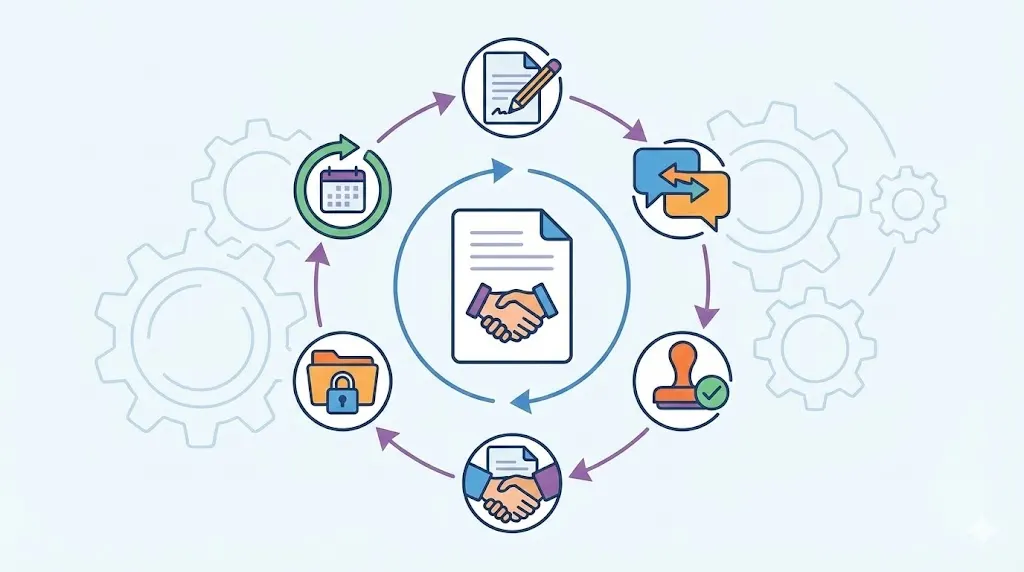
A useful process follows a clear sequence: intake, metadata capture, document storage, review, approval, monitoring, and renewal handling. Each step should create a record for the next step.
Reminders should reach the right owner. Escalations should follow when action does not happen. This creates steady control without constant manual checking.
Automation does not remove judgment. People still decide whether to renew or change terms. Automation simply gives them time and better information.
Start with high-value dates and duties. Add more alerts after the team trusts the process. Too many alerts can create noise and reduce attention.
Planning the Move From Spreadsheets to Contract Software
Moving from Excel to contract management software takes more than uploading a file. Old records may contain duplicates, gaps, and wrong dates. A careful plan protects daily work during the change.
The first goal is a trusted starting set of records. The second goal is user adoption. Both require clear decisions before launch.
Inventory and Clean Existing Records
List every place where contract records may exist. Check shared drives, personal folders, email stores, and team workbooks. Include paper records when they still affect active work.
Identify active, expired, and archived agreements. Remove clear duplicates after checking the signed files. Mark records that need further review.
Validate dates against the source documents. Check notice periods, renewal terms, owners, and attachments. Do not treat a blank field as a confirmed fact.
Classify records by business area and contract type. This helps teams set access rules and migration priority. It also shows where data quality problems are concentrated.
Cleaning takes time, but it prevents future confusion. A new system cannot correct poor data by itself. Good preparation makes the new process more trustworthy.
Define Requirements Before Selecting a Platform
Write down the work the platform must support. Include document storage, search, permissions, workflows, and reporting. Add audit trails and data extraction where needed.
Consider integrations with daily tools. Finance may need payment details in an ERP. Sales may need customer agreements near its CRM records.
Ask how the system handles amendments and attachments. Confirm how users find related records. Check how owners receive reminders and escalations.
Security needs careful review. Ask about roles, access rules, and change history. Confirm how the platform protects sensitive contract information.
Also consider future growth. A tool should support more users and contract types later. Choosing only for today can create another costly move.
Design the Migration Around Risk
Not every contract needs equal attention first. Start with high-value agreements and those that renew often. Include regulated or operationally critical contracts.
Prioritize records with costly failure points. A missed notice window may harm an important supplier relationship. An unclear service obligation may disrupt operations.
Move a small group first when possible. Test search, permissions, reminders, and reports with real users. Fix issues before moving the wider portfolio.
Keep the old records available during review. Users may need to confirm a date or find a missing attachment. Set a clear end date for the old process.
Risk-based migration gives teams useful early results. It also reduces pressure to clean every record at once. The business gains control where it matters most.
Prepare Users and Governance
Users need clear rules for naming, ownership, and approvals. They also need short training for daily tasks. Training should use real contract examples.
Assign an administrator for data and access questions. Set a schedule for record reviews and permission checks. Define who approves changes to the process.
A practical migration checklist covers inventory, cleaning, field mapping, test loading, validation, launch, adoption, and post-launch review. Owners should sign off each stage before moving forward.
Post-launch checks matter just as much. Review search success, missing fields, overdue tasks, and user questions. Use those findings to improve the process.
Measuring Whether Contract Management Is Scaling
A new process should reduce risk and effort. It should not simply move the same problems into another repository. Teams need simple measures that show whether work improves.
Choose measures that users can understand. Review them at regular intervals. Use the results to fix process gaps, not to blame individuals.
Time to Find and Confirm a Contract
Track how long users need to find a record. Measure whether they locate the signed agreement on the first search. Also check whether supporting files appear with it.
Search success matters as much as search speed. A quick result is not useful if it shows an old version. Users must confirm that the record remains complete and current.
Review difficult searches each month. Look for missing names, poor tags, or broken links. These patterns show where metadata needs improvement.
Faster retrieval supports better decisions. Teams can answer questions without repeated email searches. They also spend less time checking whether a document exists.
Renewal and Obligation Performance
Track whether owners act before notice windows close. Review missed dates, overdue tasks, and unresolved obligations. Check whether each task has a named owner.
Renewal visibility should cover more than expiry dates. It should show the review stage, approval status, and next action. This gives leaders a clearer view of risk.
Use a simple scorecard with retrieval time, data completeness, reminder coverage, overdue actions, user adoption, and contract risk exposure. Review changes over time, not just one month.
A strong scorecard shows where control improves. It may also reveal new issues after launch. Teams can then adjust fields, reminders, or ownership rules.
Why Contract Management Software Matters
Contract tracking software gives growing teams a controlled place for contract work. It connects records, documents, owners, reminders, and approvals. It also creates a clearer history of changes.
The right platform should match the portfolio. Consider contract complexity, user needs, security rules, integrations, and expected growth. A small business may need simple workflows first, while larger teams may need deeper controls.
Software does not replace good process design. Teams still need clear fields, owners, and review rules. The tool helps those rules work consistently across the business.
Central records: Software connects contract data with signed files, amendments, and attachments. Users can search one record instead of checking several folders. This reduces duplicate work and missing documents. It also gives teams a clearer system of record.
Automated work: Alerts can cover renewals, approvals, obligations, and notice periods. Owners receive tasks before deadlines become urgent. Escalations can reach managers when action stalls. This supports automated contract tracking without constant spreadsheet checks.
Controlled access: Role-based permissions protect sensitive agreements and limit unwanted changes. Change history shows who edited important information. Teams can collaborate without sharing uncontrolled copies. These controls support safer work across legal, finance, procurement, and operations.
Better decisions: Search and reporting reveal upcoming dates, missing owners, and open actions. Leaders can focus on risks instead of checking every row. Teams also gain more time for negotiation and review. The result is a more dependable contract process.
Volody CLM Software supports this work with AI Contract Summaries, Approval Workflow Automation, and a Central Contract Repository. It can highlight obligations and renewal dates, route approvals, and keep agreements searchable in one controlled place.
For example, a supplier renewal can show its key risks, route review tasks, and alert the owner before notice deadlines.
Want to see how contract management software can simplify your legal workflows? Check out Volody's CLM Software.
FAQ
Why doesn’t Excel work for contract tracking?
Excel can record basic contract details, but it depends heavily on manual updates. As the portfolio grows, duplicate files and inconsistent data become more likely. Documents may also sit apart from the tracker. Excel offers limited workflow automation, permissions, and audit history for contract work.
How can businesses stay ahead of contract deadlines and renewals?
Capture effective dates, expiry dates, notice periods, owners, and renewal terms. Store those details with the related contract documents. Automated reminders should reach owners before each key deadline. Regular reviews can then identify missing or outdated information before it creates risk.
Is managing contracts in Excel a good idea?
Excel can suit a small, stable portfolio with simple agreements. It works best with one owner and limited collaboration. It becomes weaker when contracts need many reviews or amendments. Rising maintenance time and repeated tracking errors show when another system may help.
What are the risks of using Excel for contract management?
Common risks include missed renewals, wrong dates, unclear ownership, and duplicate records. Supporting documents may also become scattered across folders and inboxes. Shared files can provide weak access control and limited change history. These gaps create financial, operational, and compliance risk.
When should a company switch from a spreadsheet to contract management software?
Consider switching when several teams need access or contract work keeps growing. Other signs include slow searches, duplicate versions, missed reminders, and unclear owners. The decision should reflect risk and workflow complexity. A phased move can reduce disruption and improve user adoption.
Can contract management software track obligations as well as renewals?
Yes. Select a platform that tracks obligations, approvals, notice periods, amendments, and renewals, then assign owners, deadlines, and escalation rules. Evaluate workflow, reporting, security, and integration capabilities before implementation to establish reliable control.
About the Company

Volody AI CLM is an Agentic AI-powered Contract Lifecycle Management platform designed to eliminate manual contracting tasks, automate complex workflows, and deliver actionable insights. As a one-stop shop for all contract activities, it covers drafting, collaboration, negotiation, approvals, e-signature, compliance tracking, and renewals. Built with enterprise-grade security and no-code configuration, it meets the needs of the most complex global organizations. Volody AI CLM also includes AI-driven contract review and risk analysis, helping teams detect issues early and optimize terms. Trusted by Fortune 500 companies, high-growth startups, and government entities, it transforms contracts into strategic, data-driven business assets.






" height="216.72211px" id="FYO0bO80Y" transform="translate(3 6.105)" width="206.073px"/><path d="M 108.174 222 C 88.432 222 70.303 217.239 53.785 207.717 C 37.267 198.196 24.173 185.052 14.504 168.285 C 4.835 151.312 0 132.165 0 110.845 C 0 89.731 4.835 70.792 14.504 54.025 C 24.173 37.052 37.267 23.804 53.785 14.282 C 70.303 4.761 88.432 0 108.174 0 C 128.116 0 146.246 4.761 162.562 14.282 C 179.08 23.804 192.073 37.052 201.541 54.025 C 211.21 70.792 216.044 89.731 216.044 110.845 C 216.044 132.165 211.21 151.312 201.541 168.285 C 192.073 185.052 179.08 198.196 162.562 207.717 C 146.044 217.239 127.915 222 108.174 222 Z M 108.174 183.189 C 120.864 183.189 132.044 180.291 141.713 174.495 C 151.382 168.492 158.936 160.006 164.375 149.035 C 169.814 138.064 172.533 125.334 172.533 110.845 C 172.533 96.355 169.814 83.729 164.375 72.965 C 158.936 61.994 151.382 53.611 141.713 47.815 C 132.044 42.02 120.864 39.122 108.174 39.122 C 95.483 39.122 84.202 42.02 74.332 47.815 C 64.663 53.611 57.109 61.994 51.67 72.965 C 46.231 83.729 43.511 96.355 43.511 110.845 C 43.511 125.334 46.231 138.064 51.67 149.035 C 57.109 160.006 64.663 168.492 74.332 174.495 C 84.202 180.291 95.483 183.189 108.174 183.189 Z" fill="rgba(255, 255, 255, 0.12)" height="222px" id="aa1McFcE9" transform="translate(227.183 3)" width="216.04399999999998px"/><path d="M 42.302 182.257 L 111.799 182.257 L 111.799 216.722 L 0 216.722 L 0 0 L 42.302 0 Z" fill="rgba(255, 255, 255, 0.12)" height="216.72211px" id="yRq4AnrsX" transform="translate(477.721 6.105)" width="111.79899999999998px"/><path d="M 108.174 222 C 88.432 222 70.303 217.239 53.785 207.717 C 37.267 198.196 24.173 185.052 14.504 168.285 C 4.835 151.312 0 132.165 0 110.845 C 0 89.731 4.835 70.792 14.504 54.025 C 24.173 37.052 37.267 23.804 53.785 14.282 C 70.303 4.761 88.432 0 108.174 0 C 128.116 0 146.246 4.761 162.562 14.282 C 179.08 23.804 192.073 37.052 201.541 54.025 C 211.21 70.792 216.045 89.731 216.045 110.845 C 216.045 132.165 211.21 151.312 201.541 168.285 C 192.073 185.052 179.08 198.196 162.562 207.717 C 146.044 217.239 127.915 222 108.174 222 Z M 108.174 183.189 C 120.864 183.189 132.044 180.291 141.713 174.495 C 151.382 168.492 158.936 160.006 164.375 149.035 C 169.814 138.064 172.534 125.334 172.534 110.845 C 172.534 96.355 169.814 83.729 164.375 72.965 C 158.936 61.994 151.382 53.611 141.713 47.815 C 132.044 42.02 120.864 39.122 108.174 39.122 C 95.483 39.122 84.202 42.02 74.332 47.815 C 64.663 53.611 57.108 61.994 51.67 72.965 C 46.231 83.729 43.511 96.355 43.511 110.845 C 43.511 125.334 46.231 138.064 51.67 149.035 C 57.108 160.006 64.663 168.492 74.332 174.495 C 84.202 180.291 95.483 183.189 108.174 183.189 Z" fill="rgba(255, 255, 255, 0.12)" height="222px" id="mo8HQspQ0" transform="translate(609.155 3)" width="216.04500000000007px"/><path d="M 73.727 0 C 95.885 0 115.324 4.45 132.044 13.351 C 148.967 22.252 161.957 34.982 171.027 51.541 C 180.287 67.894 184.917 86.937 184.917 108.671 C 184.917 130.405 180.287 149.449 171.027 165.801 C 161.957 181.947 148.967 194.47 132.044 203.371 C 115.324 212.271 95.885 216.722 73.727 216.722 L 0 216.722 L 0 0 Z M 72.216 179.773 C 94.374 179.773 111.497 173.564 123.583 161.144 C 135.669 148.724 141.713 131.233 141.713 108.671 C 141.713 86.109 135.669 68.515 123.583 55.888 C 111.497 43.055 94.374 36.638 72.216 36.638 L 42.302 36.638 L 42.302 179.773 Z" fill="rgba(255, 255, 255, 0.12)" height="216.72211px" id="I3iXX5Hi_" transform="translate(859.693 6.105)" width="184.91699999999992px"/><path d="M 185.22 0 L 113.91 141.273 L 113.91 216.722 L 71.61 216.722 L 71.61 141.273 L 0 0 L 47.74 0 L 93.06 99.046 L 138.08 0 Z" fill="rgba(255, 255, 255, 0.12)" height="216.72211px" id="nzHyWC0_d" transform="translate(1061.78 6.105)" width="185.22000000000003px"/></svg>)