

Managing contract amendments requires disciplined control of the original agreement, subsequent changes, and related records. A structured process preserves unaffected terms, clarifies what governs, and gives legal, finance, and operational teams one authoritative view of the current contract.
TL;DR
Treat amendments as part of one contract history, not as separate files stored across teams.
Identify unchanged terms, affected clauses, effective dates, and any earlier amendments before drafting.
Use exact clause references, clear replacement language, defined terms, and complete signature blocks.
Control risks with redlines, formal approvals, sequential numbering, signature checks, and full contract reviews.
Store signed amendments with source contracts, related documents, metadata, approvals, and audit records.
Contract management software links changes, routes approvals, tracks duties, and shows current contract terms.
Understanding What a Contract Amendment Changes
A contract amendment changes an existing agreement. It usually targets one or more terms without replacing the full contract. Good contract Amendment Management starts by defining the change clearly.
Amendment versus replacement agreement
A targeted amendment works well when most contract terms still fit. For example, the parties may change the delivery date or annual fee only. Replacing the full agreement can create needless risk when many terms already work.
A replacement agreement creates a new governing document. It may restate all terms in one file. That approach can help when the original contract has many changes or confusing prior amendments.
The parties should choose the document type before drafting. A label alone does not control the legal effect. The words, scope, and stated intent matter more.
An amendment normally changes selected terms. An addendum usually adds supporting terms or extra material. A restatement presents the agreement again with changes included.
A replacement agreement usually ends the earlier agreement. The document should say when that happens. It should also explain how earlier rights, duties, and claims survive.
Identifying the agreement and affected clauses
Start by naming the original agreement. Include its title, signing date, parties, and contract number. This step prevents confusion when parties have several active contracts.
Next, identify every affected section. Use the exact section number and heading. Include page numbers only as extra help, because page numbers can change.
For example, say, “Section 4.2, Payment Terms, is replaced.” Avoid saying, “The payment section changes.” Vague references invite disputes and slow later reviews.
List every linked document that may also change. These documents can include exhibits, schedules, statements of work, and service descriptions. Attach each one to the amendment record.
Establishing the amendment’s legal scope
State what the amendment does. It may modify, supplement, delete, or replace specific language. The document should use one clear action for each affected clause.
The amendment should also address earlier amendments. Say whether those documents remain effective. Identify any earlier change that this amendment replaces.
A preservation sentence can protect the original agreement. It should state that all other terms remain unchanged and effective. This sentence does not fix unclear conflict language, however.
Use a clear document label based on purpose and scope. An amendment changes existing terms. An addendum adds new supporting terms. A restatement collects the full deal into one new version.
The parties should store each document differently in their records. An amendment remains linked to its parent contract. A replacement agreement becomes the new governing contract record.
Related articles: Survival Clauses: Contract Terms That Endure
Preserving Original Terms While Making Targeted Changes
Good Managing Contract Changes protects terms that the parties did not discuss. The draft should make the change narrow, visible, and easy to trace. This approach reduces accidental changes during negotiations.
The unchanged terms clause
Include an unchanged terms clause in every amendment. It should say that all other provisions remain in full force. It should also confirm that the amendment does not waive unrelated rights.
Use plain language that matches the agreement. Do not add broad wording that conflicts with existing survival terms. Legal reviewers should confirm that the clause fits the full contract.
The clause should appear near the end of the amendment. Readers can then connect it with the signature and execution terms. It should not replace precise clause references earlier.
For example, the amendment may change Section 6.1 only. The unchanged terms clause confirms that Sections 1 through 6 remain effective. It also protects schedules not mentioned in the amendment.
Conflicts between the amendment and original agreement
Review the original terms before finalizing new language. Check definitions that may change the meaning of the amendment. Check duties, remedies, and order of precedence rules as well.
Definitions often create hidden conflicts. A new “Services” term may differ from an older definition. That difference can affect pricing, delivery, and acceptance rights.
Payment terms deserve close review. A price change may affect taxes, invoicing, credits, or late fees. A renewal change may affect notice dates and future prices.
Also review confidentiality, liability, termination, and insurance terms. A new duty may require changes in those sections. Include related changes when the business deal requires them.
Write a conflict rule when needed. For example, the amendment may govern only the changed payment clause. The original agreement governs every other issue.
Related articles: Lease Renewal Agreement: Strategies for Improved Terms
Drafting Clear and Enforceable Amendment Language
Clear drafting supports both legal review and daily contract use. Business and technical teams should understand what changed. They should also know when the change starts and ends.
Precise clause replacement language
Quote the current clause when practical. Then state whether the parties delete, replace, or supplement it. This method creates a direct link between old and new language.
For example, write, “Section 3.4 is deleted and replaced.” Then include the full new text. Do not rely on a general summary of the change.
Use redlines during review. Redlines show added and removed words clearly. They also create useful evidence of the negotiation record.
When a clause stays partly unchanged, show the exact edits. Explain whether the remaining words keep their original meaning. Ask legal reviewers to check any changed cross-references.
Effective dates and timing
Separate the signing date from the effective date. The signing date shows when parties executed the amendment. The effective date shows when the new terms begin.
Some changes need a future start date. A new service level may begin after a transition period. A price change may begin with the next invoice cycle.
Retroactive changes need extra care. State the exact period covered by the change. Explain how the parties handle invoices, performance, and duties from that period.
Include an expiry date when the change lasts for a limited period. Also state what happens after expiry. The original term may return, or a new term may continue.
Commercial and operational details
Describe price changes with exact amounts and units. Include currency, tax treatment, billing dates, and any usage rules. Finance teams need these details for accurate invoicing.
Describe scope changes with specific deliverables. Name revised milestones, service levels, locations, and owners. Technical teams need clear duties they can test and measure.
Address data duties when the amendment changes systems or access. Include security steps, retention periods, and reporting needs. Link those duties to the correct exhibit or schedule.
Avoid business shorthand that legal teams cannot interpret. Define new terms before using them. Keep each term consistent throughout the amendment.
Signatures and execution formalities
Confirm who has authority to sign. The original contract may name required officers or roles. Company policy may also require a second approval.
Check whether electronic signatures are allowed. Some contracts require particular platforms or signature methods. Follow any witness, notary, or counterpart rules that apply.
Use the correct legal names for all parties. Match names across the original agreement and amendment. A name mismatch can delay execution or create doubt.
Attach every referenced exhibit before signing. Confirm that each signature block appears in the final file. After signing, verify every required signature and date.
Use a final quality check before release. Confirm defined terms, clause numbers, dates, party names, exhibits, and signature blocks. Check the amendment against the original agreement once more.
Related articles: Entire Agreement Clause in Contracts
5 Common Risks That Can Distort Original Contract Terms
Amendment errors often arise from weak records and informal habits. A small drafting gap can change payment, renewal, or termination rights. Contract Amendment Tracking helps expose these gaps before they spread.
Vague change descriptions: A broad description may hide the real business change. State the exact clause, sentence, or table being changed. Use clause level redlines during review. Confirm the final wording with legal and business owners.
Informal side agreements: Email promises can conflict with the signed amendment. Capture approved business decisions in the formal document. Do not treat an email as a final change without legal review. Store important correspondence with the contract record.
Conflicting amendments: Two amendments may change the same clause differently. Number amendments in sequence and compare each new draft. Add precedence language when conflicts may arise. Review the full contract family before relying on a term.
Missing attachments: An amendment may reference an exhibit that someone never signed. Check every attachment before execution and storage. Link each attachment to the parent contract. Confirm that teams can access the final, complete file.
Incomplete signatures: One missing signature can leave the change ineffective. Verify signature authority before sending the document. Check names, dates, and execution methods after signing. Record signature evidence beside the executed amendment.
Related articles: Generate renewal and termination summaries
Controlling Review, Approval, and Signature Workflows
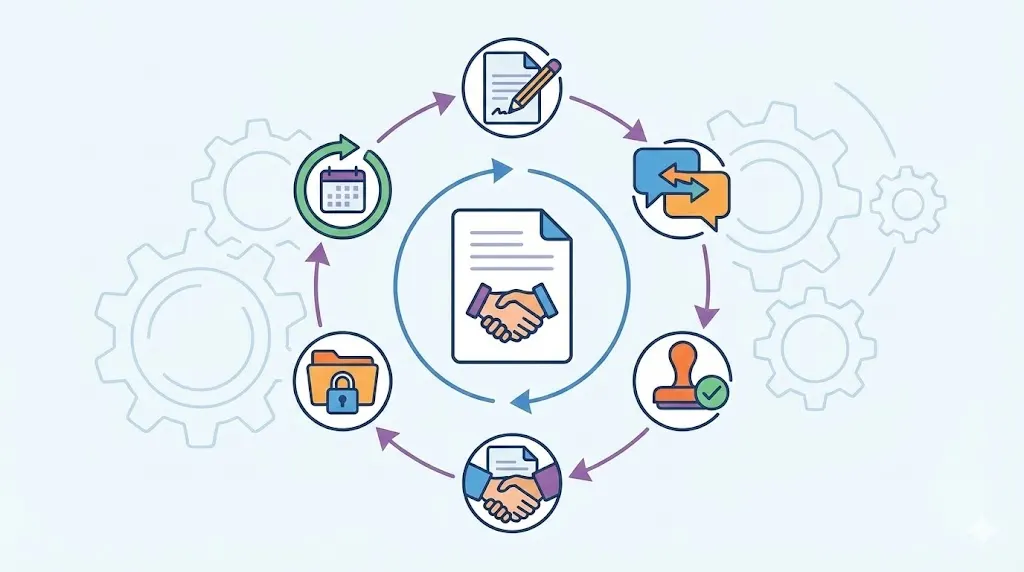
A formal Amendment Approval Workflow makes change control repeatable. It shows who reviews the text, who approves the risk, and who signs. It also keeps unresolved issues from reaching execution.
Negotiating changes with all parties
Start with a written change request. Describe the reason, business goal, affected terms, and desired date. Name the contract owner and proposed business sponsor.
Keep each draft with its version number. Preserve redlines, comments, and negotiation notes. Mark old drafts as superseded, not current.
Record unresolved points before approval. Open issues may concern price, liability, data, or timing. Do not treat silence as agreement on those points.
Before approval, confirm the final commercial understanding. The business owner should confirm scope, cost, timing, and service impact. Legal counsel should then review the final text.
Coordinating legal, business, and technical review
Legal reviewers assess interpretation, enforceability, and conflict risk. They compare the amendment with the full contract family. They also check definitions, remedies, and precedence rules.
Business owners confirm the commercial intent. They verify prices, volumes, deliverables, and renewal effects. They should also confirm that the change meets the business need.
Technical teams test operational feasibility. They review system duties, data access, service levels, and transition steps. Their review can prevent promises that systems cannot support.
Procurement and finance may need separate review. Procurement checks supplier scope and commercial controls. Finance checks payment effects, budgets, and accounting treatment.
Completing risk based approval and execution
Set approval paths by risk and value. A small date change may need limited review. A data, liability, or regulatory change may need senior approval.
Consider amendment value, data impact, and regulatory exposure. Consider also the authority required to sign. The workflow should route the document to each required role.
Record each approval with a date and user identity. Keep rejected drafts and reasons with the audit history. Do not delete evidence of important decisions.
Send only the approved final version for signature. Verify that the signed file matches the approved file. Confirm that every required party completed execution.
Related articles: Prevent Missed Contract Obligations with Better Governance
Maintaining a Consolidated Contract Record and Audit Trail
A complete record supports reliable Contract Version History. It also helps teams find the governing terms quickly. The record should show both current terms and earlier decisions.
Attaching amendments to the original agreement
Store the signed amendment with the original contract. Link it to related exhibits, schedules, and statements of work. Do not store it as an unrelated file.
Use one parent record for the contract family. The parent record can show all connected documents. Users can then follow the change path from original terms to current terms.
Include renewals in the same family when they relate to the contract. Link notices, waivers, and approved changes as well. This structure helps teams review the full business relationship.
Keep source documents unchanged after execution. Create a separate consolidated view when needed. Never overwrite the signed original with a rewritten copy.
Preserving drafts, approvals, and negotiation history
Retain redlines and comments under clear status labels. Mark them as drafts, reviewed, rejected, or superseded. Keep the signed amendment marked as executed.
Store approval records with each final document. Include approver names, dates, decisions, and comments. Include signature evidence and completion status.
Keep relevant correspondence when it explains the final decision. Avoid treating every email as a contract term. Label correspondence as supporting evidence, not operative language.
Set access rules for sensitive drafts. Some users may view signed contracts only. Others may need edit rights during negotiation.
Numbering and tracking amendment history
Give each amendment a sequential number. Use a stable format tied to the parent contract. For example, use “Amendment 01” and “Amendment 02.”
Record the effective date for every amendment. Record changed clauses, contract owner, status, and signing completion. Add links to related exhibits and earlier amendments.
Use metadata to support fast searches. Useful fields include supplier name, business unit, renewal date, and contract type. Searchable fields reduce time spent opening unrelated files.
Do not reuse an amendment number. A rejected draft can keep its draft version. The executed document should retain the final sequential number.
Creating a reliable consolidated view
A repository can show the original terms beside later changes. Users can open the source document for proof. They can also see the current version without losing history.
A consolidated view should identify changed clauses. It should show which amendment changed each term. It should also show effective dates and later overrides.
Never present a summary as the legal contract. Label it as a working view or current terms summary. Users should always access the signed source files.
The record should include contract identifier, amendment number, status, parties, and effective date. It should also include changed clauses, approvers, and signature completion. These fields support retrieval, review, and audit work.
Related articles: Advanced Contract Search for Faster Retrieval
Best Practices for Preventing Amendment Errors
Strong controls begin before anyone drafts language. They continue through execution and daily use. Each step should leave a clear record for the next reviewer.
Standardizing amendment intake and drafting
Use a standard request form for every proposed change. Ask for the reason, affected clauses, business owner, and target date. Include the expected price, scope, and operational impact.
Use standard document names and storage rules. Include the contract number, amendment number, status, and date. Consistent names help users find records without opening each file.
Use approved templates for common changes. Templates can reduce missed clauses and signature fields. Legal teams should still review each amendment for fit.
Start each record in the central repository. Do not begin with a local file or private email thread. Early central storage creates a complete history from the start.
Reviewing impact across connected documents
Compare the proposed change with the original contract baseline. Check pricing, renewals, service levels, and statements of work. Review exhibits, attachments, and compliance duties.
Ask which systems use the changed data. A new billing term may affect finance systems. A new service level may affect dashboards and support tools.
Check dates across the contract family. A changed delivery date may affect renewal timing. A changed notice period may affect termination planning.
Record the impact review before approval. State which documents and systems were checked. Name any follow-up actions and their owners.
Confirming execution and communicating changes
Confirm all signatures before marking the amendment active. Verify the final file against the approved version. Store the executed copy in the permissioned repository.
Notify teams that rely on the changed terms. Finance may need new billing rules. Operations may need updated service levels or delivery steps.
Tell users where the governing record lives. Do not send several loose copies across email. Point teams to the current record and source documents.
Ask owners to confirm that systems and playbooks changed. Record that confirmation with the amendment. This step connects legal execution with daily operations.
Monitoring obligations after execution
Set reminders for changed dates and duties. Track renewals, milestones, reports, and service reviews. Assign each obligation to a named owner.
Review the contract family at set intervals. Check whether later amendments changed the same duties. Confirm that staff use the latest governing terms.
Run audit checks on missing signatures and attachments. Look for duplicate records and incorrect statuses. Correct issues before the next renewal or review.
Link later changes to the same parent contract. Keep amendment numbers in sequence. This practice protects a complete history over time.
Related articles: Digitizing Legacy Contracts: Best Practices
Why Contract Management Software Matters
Contract management software gives teams one controlled place for contract records. It can link original agreements, amendments, exhibits, and renewals. It preserves source files while showing current terms.
Workflow control: Automated routing sends amendments to the right reviewers. Reminders reduce missed approvals and late signatures. Status fields show each document’s progress. Teams can see blocked work before deadlines pass.
Search and history: Searchable metadata helps users find clauses and amendments quickly. Version records show dates, edits, and responsible users. Permissions limit who can view or change sensitive files. Audit trails preserve the reasons behind important actions.
Volody CLM Software supports Contract Amendment Management through a central repository. It offers AI Contract Summaries for obligations, renewal dates, and key risks. Its Approval Workflow Automation also routes reviews and sends reminders.
For example, a finance team can find Amendment 02 quickly. It can view the new price, approval record, and effective date. Legal users can open earlier redlines and the signed parent contract.
Want to see how contract management software can simplify your legal workflows? Check out Volody's CLM Software.
FAQ
What is a contract amendment, and how does it differ from an addendum?
A contract amendment changes one or more existing contract provisions. An addendum usually adds supplementary terms, schedules, or supporting material. The labels should match the document’s intended legal effect. Clear clause references and scope language matter more than the title alone.
How can contract amendments be managed?
Manage amendments through linked records, standard templates, and formal approvals. Store each signed document with its parent contract and related files. Use permissions, version control, and audit trails throughout the process. This structure helps teams find current terms and preserve earlier decisions.
What is the best way to keep track of contract versions and amendments?
Use sequential amendment numbers, timestamps, effective dates, and linked records. Preserve redlines, signed copies, approvals, and superseded versions with clear status labels. Add searchable metadata for parties, clauses, owners, and dates. Never overwrite the original agreement or executed amendments.
Do all parties need to sign a contract amendment?
The parties should follow the original agreement’s consent and signing rules. Mutual changes usually require signatures from authorized representatives of each affected party. Electronic execution may work when the agreement permits it. Check authority, required witnesses, and any special execution process.
Can an amendment change only one clause of a contract?
Yes, an amendment can change one clause only. Identify the clause by number and heading, then state the exact replacement language. Explain whether the old text is deleted, replaced, or supplemented. Add language confirming that all unaffected terms remain in force.
What happens if an amendment conflicts with the original contract?
The conflict can create uncertainty about which term governs. Use precise clause references and clear precedence language before signing. Later amendments may control, but that result depends on wording and applicable law. Ask legal reviewers to assess every material conflict.
How should multiple contract amendments be organized?
Use one parent record for the original agreement and all related changes. Number amendments in sequence and record each effective date. Link exhibits, renewals, notices, and statements of work to that record. Preserve signed copies and provide a clearly labeled current terms view.
Can contract management software combine amendments with the original agreement?
Yes, contract management software can link each amendment to its parent agreement, preserve source files, route approvals, track signatures, and control access. Use it to establish a reliable current-terms view without losing the complete contract history.
About the Company

Volody AI CLM is an Agentic AI-powered Contract Lifecycle Management platform designed to eliminate manual contracting tasks, automate complex workflows, and deliver actionable insights. As a one-stop shop for all contract activities, it covers drafting, collaboration, negotiation, approvals, e-signature, compliance tracking, and renewals. Built with enterprise-grade security and no-code configuration, it meets the needs of the most complex global organizations. Volody AI CLM also includes AI-driven contract review and risk analysis, helping teams detect issues early and optimize terms. Trusted by Fortune 500 companies, high-growth startups, and government entities, it transforms contracts into strategic, data-driven business assets.





" height="216.72211px" id="FYO0bO80Y" transform="translate(3 6.105)" width="206.073px"/><path d="M 108.174 222 C 88.432 222 70.303 217.239 53.785 207.717 C 37.267 198.196 24.173 185.052 14.504 168.285 C 4.835 151.312 0 132.165 0 110.845 C 0 89.731 4.835 70.792 14.504 54.025 C 24.173 37.052 37.267 23.804 53.785 14.282 C 70.303 4.761 88.432 0 108.174 0 C 128.116 0 146.246 4.761 162.562 14.282 C 179.08 23.804 192.073 37.052 201.541 54.025 C 211.21 70.792 216.044 89.731 216.044 110.845 C 216.044 132.165 211.21 151.312 201.541 168.285 C 192.073 185.052 179.08 198.196 162.562 207.717 C 146.044 217.239 127.915 222 108.174 222 Z M 108.174 183.189 C 120.864 183.189 132.044 180.291 141.713 174.495 C 151.382 168.492 158.936 160.006 164.375 149.035 C 169.814 138.064 172.533 125.334 172.533 110.845 C 172.533 96.355 169.814 83.729 164.375 72.965 C 158.936 61.994 151.382 53.611 141.713 47.815 C 132.044 42.02 120.864 39.122 108.174 39.122 C 95.483 39.122 84.202 42.02 74.332 47.815 C 64.663 53.611 57.109 61.994 51.67 72.965 C 46.231 83.729 43.511 96.355 43.511 110.845 C 43.511 125.334 46.231 138.064 51.67 149.035 C 57.109 160.006 64.663 168.492 74.332 174.495 C 84.202 180.291 95.483 183.189 108.174 183.189 Z" fill="rgba(255, 255, 255, 0.12)" height="222px" id="aa1McFcE9" transform="translate(227.183 3)" width="216.04399999999998px"/><path d="M 42.302 182.257 L 111.799 182.257 L 111.799 216.722 L 0 216.722 L 0 0 L 42.302 0 Z" fill="rgba(255, 255, 255, 0.12)" height="216.72211px" id="yRq4AnrsX" transform="translate(477.721 6.105)" width="111.79899999999998px"/><path d="M 108.174 222 C 88.432 222 70.303 217.239 53.785 207.717 C 37.267 198.196 24.173 185.052 14.504 168.285 C 4.835 151.312 0 132.165 0 110.845 C 0 89.731 4.835 70.792 14.504 54.025 C 24.173 37.052 37.267 23.804 53.785 14.282 C 70.303 4.761 88.432 0 108.174 0 C 128.116 0 146.246 4.761 162.562 14.282 C 179.08 23.804 192.073 37.052 201.541 54.025 C 211.21 70.792 216.045 89.731 216.045 110.845 C 216.045 132.165 211.21 151.312 201.541 168.285 C 192.073 185.052 179.08 198.196 162.562 207.717 C 146.044 217.239 127.915 222 108.174 222 Z M 108.174 183.189 C 120.864 183.189 132.044 180.291 141.713 174.495 C 151.382 168.492 158.936 160.006 164.375 149.035 C 169.814 138.064 172.534 125.334 172.534 110.845 C 172.534 96.355 169.814 83.729 164.375 72.965 C 158.936 61.994 151.382 53.611 141.713 47.815 C 132.044 42.02 120.864 39.122 108.174 39.122 C 95.483 39.122 84.202 42.02 74.332 47.815 C 64.663 53.611 57.108 61.994 51.67 72.965 C 46.231 83.729 43.511 96.355 43.511 110.845 C 43.511 125.334 46.231 138.064 51.67 149.035 C 57.108 160.006 64.663 168.492 74.332 174.495 C 84.202 180.291 95.483 183.189 108.174 183.189 Z" fill="rgba(255, 255, 255, 0.12)" height="222px" id="mo8HQspQ0" transform="translate(609.155 3)" width="216.04500000000007px"/><path d="M 73.727 0 C 95.885 0 115.324 4.45 132.044 13.351 C 148.967 22.252 161.957 34.982 171.027 51.541 C 180.287 67.894 184.917 86.937 184.917 108.671 C 184.917 130.405 180.287 149.449 171.027 165.801 C 161.957 181.947 148.967 194.47 132.044 203.371 C 115.324 212.271 95.885 216.722 73.727 216.722 L 0 216.722 L 0 0 Z M 72.216 179.773 C 94.374 179.773 111.497 173.564 123.583 161.144 C 135.669 148.724 141.713 131.233 141.713 108.671 C 141.713 86.109 135.669 68.515 123.583 55.888 C 111.497 43.055 94.374 36.638 72.216 36.638 L 42.302 36.638 L 42.302 179.773 Z" fill="rgba(255, 255, 255, 0.12)" height="216.72211px" id="I3iXX5Hi_" transform="translate(859.693 6.105)" width="184.91699999999992px"/><path d="M 185.22 0 L 113.91 141.273 L 113.91 216.722 L 71.61 216.722 L 71.61 141.273 L 0 0 L 47.74 0 L 93.06 99.046 L 138.08 0 Z" fill="rgba(255, 255, 255, 0.12)" height="216.72211px" id="nzHyWC0_d" transform="translate(1061.78 6.105)" width="185.22000000000003px"/></svg>)