

Small businesses need efficient, secure document workflows without unnecessary costs or administrative friction. Free e-signature software eliminates much of the printing, mailing, scanning, and storage involved in paper-based processes while enabling customers, employees, suppliers, and partners to sign from virtually anywhere. The right free tool can improve operational efficiency and provide a practical foundation for digital signing as the business grows.
TL;DR
Free e-signature software cuts paper, postage, storage, and manual work for small business teams.
Templates and PDF tools make recurring agreements faster, clearer, and less prone to missing fields.
Remote signing helps customers, workers, suppliers, and partners complete documents without meetings.
Teams should review limits, security, audit records, storage, integrations, and legal needs before choosing.
Free plans may restrict documents, users, branding, reminders, storage, and important workflow controls.
A paid upgrade makes sense when volume, users, automation, or reporting needs begin slowing work.
The Business Case for Free E-Signature Software
Lowering the Cost of Everyday Agreements
Paper agreements create costs beyond the sheet itself. Teams may print pages, buy envelopes, pay postage, and scan signed copies. They also spend time naming files and placing documents in storage.
Free e-signature software removes many of these steps. A small team can prepare a file, send it, and receive a signed copy online. This reduces supply costs without adding a new monthly bill.
The savings also include staff time. Someone no longer needs to print every agreement or check the mail. That person can focus on customers, sales, or service work instead.
Startups often face tight budgets during their first months. A free online e-signature tool lets them test digital signing before paying for advanced features. This creates a low-cost way to improve work without adding another fixed expense.
The value grows when the business sends similar agreements often. A consultant may sign client terms each week. A small agency may send proposals, service agreements, and onboarding forms daily.
Free tools also reduce storage needs. Signed files can stay in a secure digital folder instead of filing cabinets. Staff can search those records from a laptop rather than sorting paper folders.
Comparing Paper Signing Costs with Free Digital Signing
Paper signing often follows a slow chain. A team prints the document, sends it, waits, and follows up. The signer then returns the file by mail, scan, or email.
Free digital signing removes most of that chain. The recipient opens the file, signs online, and submits it. The business receives a finished copy without waiting for physical delivery.
This change can improve customer service. Customers can sign at home, at work, or while traveling. They do not need access to a printer or scanner.
Faster signing can also support quicker onboarding. A contractor can complete terms before starting work. A supplier can approve an agreement without visiting the office.
The process helps business relationships in smaller ways too. Fewer follow-ups make communication feel easier. Clear status updates also show whether a document needs attention.
Free document signing software does not remove every cost. Staff still need to prepare accurate documents and store them safely. However, it can remove many routine handling tasks from the process.
For occasional signing, a free plan may provide enough value. The business avoids subscription costs while gaining a faster way to complete agreements. That balance makes free signing useful for lean teams.
Related articles: ContractWorks Overview: Cost, Features, and Alternative CLM
Essential Features Small Businesses Can Use Immediately
Reusable Templates for Recurring Documents
Templates help teams prepare common documents with less repeated work. A saved template can hold standard terms, business details, and signing fields. Staff then update only the parts that change.
Common examples include proposals, service agreements, and onboarding forms. Nondisclosure agreements also work well with reusable templates. These documents often follow the same structure each time.
Templates support consistency across the team. Each employee starts with approved wording instead of creating a new file. This reduces the chance of missing a key section or using an old version.
They also shorten preparation time. A team member can choose the correct template and add client details. The document then moves into the signing process with fewer steps.
Small businesses should review templates before saving them. Remove outdated terms and confirm all required fields. Assign clear names so staff can choose the right document quickly.
A free plan may limit the number of saved templates. That makes careful selection important. Start with documents that recur most often and create the most manual work.
Built In PDF Preparation
Signing is only one stage of document work. Teams may need to add text, signature fields, dates, checkboxes, or notes first. A built-in PDF tool keeps these tasks together.
This reduces tool switching. Staff do not need to open another program for every small edit. They can prepare and send the document within one workflow.
Built-in preparation also lowers file confusion. Moving documents between tools can create several versions. Keeping the work together makes the final file easier to identify.
A small business may use this feature for client forms or supplier terms. Staff can add the signer’s name, payment details, and approval fields. They can then send the document without printing it.
Good preparation improves the signer’s experience. Clear fields show where each person must act. Simple instructions also reduce incomplete or rejected documents.
Free tools differ in their editing features. Some allow basic fields but limit advanced changes. Test the PDF workflow before relying on it for important agreements.
Comparing Core Free Plan Features
Electronic signatures receive legal recognition in many places. Their effect still depends on local rules and the document involved. The Controller of Certifying Authorities explains India's digital signature framework and the role of licensed certifying authorities Consent, signer identity, records, and intent can all matter.
A free plan should cover the basic signing path. It should also provide enough evidence to show what happened. Review each feature before sending business documents through the service.
Useful core features include:
Reusable templates for common agreements and forms.
PDF fields for names, dates, initials, and signatures.
Audit records that show actions, times, and signer activity.
Notifications that alert people when documents need action.
Secure storage for completed documents and related records.
A tool may include signatures but lack useful tracking. Another may offer storage but limit the number of requests. Compare the complete workflow rather than one attractive feature.
Related articles: What is an Enterprise License Agreement (ELA)?
How E-Signatures Improve Small Business Operations
Supporting Remote and Hybrid Work
Remote signing lets people complete documents from different locations. Customers can sign from home or a client site. Employees and contractors can finish forms without visiting an office.
This matters for small teams with limited office space. It also helps businesses serve customers outside their local area. A digital process removes distance from many routine agreements.
Electronic signatures for small businesses can improve hiring and onboarding. New workers can receive policies and forms before their first day. Contractors can review terms without arranging a meeting. Understanding wet signatures also helps businesses identify when physical signing is required and when electronic signatures can simplify the process.
Partners and suppliers gain the same convenience. They can approve purchase terms while working elsewhere. This helps keep projects moving when schedules do not match.
Mobile access can make the process easier still. A signer may use a phone when a laptop is not available. The business should test the mobile experience before choosing a tool.
Remote signing also reduces customer effort. People do not need to print, scan, or mail anything. Fewer steps can mean fewer abandoned agreements.
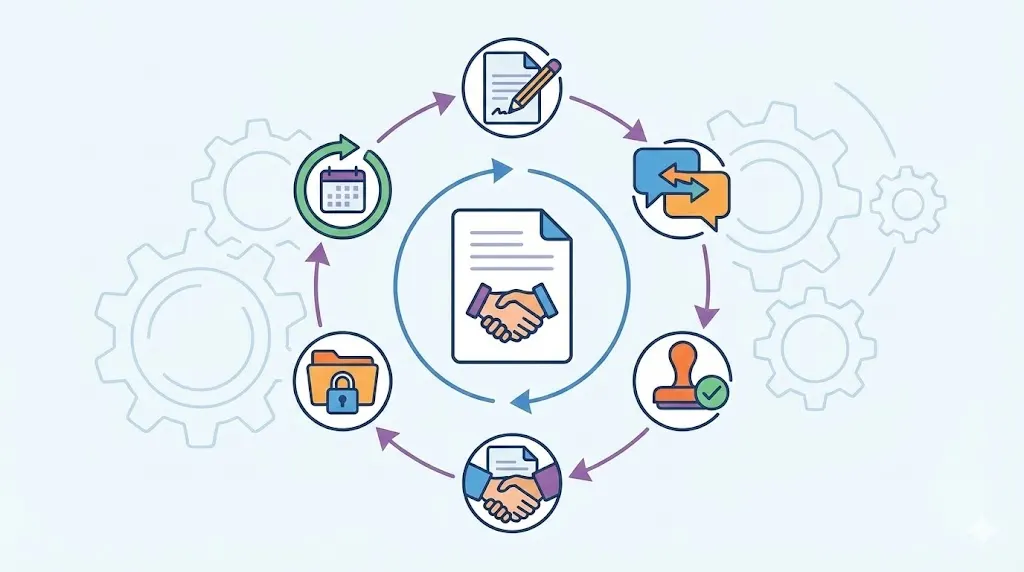
Completing a Trackable Signing Workflow
A useful workflow starts with document preparation. Staff select a template, add details, and place the required fields. They then assign each signer and send the document.
The tool should show what happens next. Notifications can alert signers and staff about pending tasks. Status tracking can show whether a file is sent, viewed, signed, or complete.
Timestamps add useful context to the record. Signer activity can show when a person opened or completed the file. These details help staff answer questions without searching through emails.
The completed document should move into organized storage. A business may connect signing with cloud storage or accounting tools. Some tools also connect with customer relationship systems and project tools.
Connections can reduce duplicate entry. For example, a signed service agreement can support a client record. A team can then find the agreement when billing or project work begins.
The workflow should include follow-up steps. Staff can check pending files and contact people who need help. This is more reliable than searching separate inboxes for each agreement.
Online contract signing works best when ownership is clear. Someone should manage templates, monitor pending files, and review storage. That simple role structure prevents documents from disappearing between teams.
Related articles: 10 Best Contract Management Software in the USA
Challenges and Risks of Free E-Signature Tools
Limits on Documents, Users, and Features
Free plans often limit the number of signing requests. They may also restrict templates, users, storage, or integrations. These limits can become difficult when the business grows.
Some plans limit branding options. The signing page may not match the company’s customer experience. Others restrict reminders, bulk sending, or approval steps.
A business should estimate its current use first. Count monthly signing requests and active staff members. Then consider expected growth over the next year.
Storage limits deserve close review. Completed files can build up faster than expected. A team may need to export documents before reaching the plan’s limit.
User limits can create access problems. One shared login may seem convenient but weakens control. Each person should have an appropriate account when the workflow needs clear ownership.
Free plan restrictions are not always deal breakers. They simply need a clear fit with the business. Occasional use may work well, while daily client work may require more room.
Security and Privacy Expectations
A free service still handles business information. Agreements may contain prices, addresses, payment terms, or personal details. The business should review how the provider protects that data.
Look for encryption during transfer and storage. Encryption changes readable data into protected code. Access controls should also limit files to approved people.
Authentication adds another layer of protection. Strong passwords should be required for every user. Multi factor authentication helps when the provider offers it.
Audit trails support trust and review. They record actions such as sending, viewing, and signing. These records can help show how a document moved through the process.
Data retention rules also matter. Find out how long the provider keeps completed files. Check whether the business can download records before closing an account.
Do not assume free means unsafe. Do not assume free means secure either. Review the provider’s security details, support practices, and service history.
Reviewing Free Plan Risks Before Adoption
Start with the information inside your documents. Sensitive agreements may need stronger controls than basic forms. HIPAA Business Associate Agreements (BAAs) A free plan may not suit every type of business record.
Check who can view, send, and download files. Review whether access can change when a worker leaves. Poor access control can expose documents after staff changes.
Vendor reliability also affects business continuity. A service outage may delay a new agreement or customer start date. Export options can help the team keep local copies.
Read the plan terms before building a process. When evaluating top free contract management software in India, confirm request limits, storage rules, and account closure steps. Also check whether the provider can change free features later.
A short risk review can prevent larger problems. Test the signing flow with a sample document. Then inspect the final file, audit record, and storage process.
Related articles: How to Scale Contract Organization for Growing Enterprises
Best Practices for Using a Free E-Signature Tool
Standardizing Documents Before Upload
Good signing workflows begin with good documents. Review the agreement language before creating a contract drafting . Remove old versions and confirm the correct business details.
Mark every required field before uploading. Decide where names, dates, initials, and signatures belong. Clear fields reduce incomplete submissions and repeated messages.
Assign signer roles in advance. One person may approve terms, while another accepts payment details. Clear roles prevent the wrong person from receiving a document.
Use simple template names that staff can understand. Include the document purpose and version date when useful. This helps people avoid outdated files.
Review language with the right internal owner. A lawyer may need to review important terms. A service manager may confirm that delivery details match actual work.
Standard templates should still allow needed changes. Client names, prices, dates, and project terms may differ. Keep variable fields clear and easy to edit.
Operating and Reviewing a Signing Workflow
Use role based access when the plan allows it. Give staff only the access their work requires. This reduces accidental changes and protects private files.
Require strong passwords for every account. Turn on multi factor authentication where available. Avoid shared logins, even when a team is small.
Follow a simple operating checklist:
Prepare the current document and confirm every required field.
Send it to the correct people with clear signing instructions.
Monitor status, reminders, timestamps, and signer activity.
Store completed files in an organized, secure location.
Review usage, limits, and risks each month.
Track turnaround time for common documents. Also review completion rates and follow-up volume. Rejected contract documents can show unclear fields or poor instructions.
Monthly usage helps reveal plan pressure. A team nearing its request limit may need another option. A team with little use may remain comfortable on the free plan.
Review storage and permissions during the same check. Remove access that people no longer need. Export important records before the service reaches a storage limit.
Choosing the Right Free E-Signature Software
Matching Features to Document Volume
Start by estimating monthly signature requests. Include customer agreements, worker forms, supplier terms, and internal approvals. The estimate should reflect real work, not an ideal future process.
Count active users who prepare or monitor documents. One founder may manage everything at first. A growing team may need separate access for sales, operations, and finance.
Review recurring agreements as well. Templates can save time when documents repeat often. Storage needs also grow when the business keeps every completed file online.
Expected growth matters, but avoid paying for guesses. Choose a tool that fits current needs with reasonable space to grow. Revisit the choice when work patterns change.
Feature counts can distract from workflow fit. A tool with fewer features may feel easier and work better. Test the tasks staff perform most often.
Checking Legal and Security Requirements
Legal recognition depends on the relevant rules and document type. The provider’s price does not decide whether a signature is valid. Consent, intent, identity, and records can affect enforceability.
Check how the tool records consent. Review signer authentication and audit trail details. Confirm that completed files show enough information for later review.
Data handling also deserves attention. Ask where records are stored and how access works. Check retention, deletion, backup, and export practices.
Some industries handle especially sensitive information. A basic free plan may lack the needed controls. Those businesses should review their legal and security duties first.
Keep a record of the provider review. Note the plan limits and controls you checked. This creates a clear basis for future decisions.
Evaluating Ease of Adoption
A tool should feel simple for staff and signers. Hard-to-find fields create more questions and follow-ups. Confusing screens can slow the process instead of improving it.
Test document preparation with a real sample. Ask whether a new user can place fields correctly. Also check whether signers understand the next step.
Mobile access can shape the signer experience. Open the same document on a phone and laptop. Check field size, instructions, and completion steps.
Notifications should guide action without causing noise. Staff need clear alerts for pending and completed files. Signers need reminders that explain what remains.
Support matters when problems arise. Review the provider’s help pages and contact options. A free plan may offer less direct support than a paid plan.
Comparing Functionality, Security, and Upgrade Options
Run a small internal test before wider adoption. Send sample agreements to people who do not use the tool daily. Their questions can reveal hidden workflow problems.
Review the finished document and audit record. Check names, dates, timestamps, and signer actions. Confirm that the business can download and store the final file.
Group the review into six areas:
Functionality, including fields, templates, notifications, and storage.
Security, including access controls, authentication, and audit records.
Usability, including mobile access and signer instructions.
Integrations, including storage, accounting, and customer tools.
Limits, including requests, users, templates, and retention.
Upgrade options, including automation, support, and reporting.
Test integrations with realistic records when possible. A feature list may not show setup work or data gaps. A short trial gives a clearer view of daily use.
Related articles: Real Estate Contract Management Software: A Detailed Guide
When a Free Plan Should Become a Paid Workflow
Signs That Usage Is Outgrowing the Free Tier
A free plan may stop fitting when document volume rises. Repeated limit warnings show that the current process lacks room. Delays can follow when staff wait for the next available request.
More users can create another pressure point. Staff may share accounts or ask one person to send every file. Both choices weaken control and slow work.
Manual status checks are another warning. If someone spends hours checking pending documents, automation may now have value. The same applies when staff send repeated reminders by hand.
Storage limits can also disrupt work. Teams may delete files too soon or move them between several locations. That creates search problems and weakens record keeping.
An upgrade should solve a clear problem. Measure the time spent on follow-ups, status checks, and file handling. Then compare that cost with the paid plan.
Comparing Free Plan Limits with Paid Workflow Capabilities
Paid plans may add automated reminders and approval routing. Routing sends a document to people in a set order. This helps when several roles must review one agreement.
They may also provide deeper integrations. A connection with accounting or customer tools can reduce duplicate entry. Bulk sending can help teams manage many similar documents.
Advanced templates can support more complex agreements. Reporting can show completion times and pending work. Stronger administration can improve user access and team control.
Review upgrade signals before choosing a plan:
Higher signing volume and more active users.
Need for reminders, routing, or bulk sending.
Need for integrations with business tools.
Need for stronger security or compliance controls.
Need for reporting, analytics, or central administration.
A paid workflow should support measurable growth. It should reduce manual work or improve control. Paying for unused features does not create business value.
Why Contract Management Software Matters
Free e-signature software can help small businesses start digital signing. It reduces paper work and makes approvals easier to track. It may be enough for occasional, simple agreements.
As contract numbers rise, signing becomes only one part of the process. Teams also need to store agreements, manage approvals, and track commitments. Contract management software connects these tasks in one system.
A central contract record reduces scattered files. Staff can find agreements without searching email folders or personal drives. Better visibility also helps managers see current obligations.
Workflow automation can route reviews and approvals. Renewal tracking can warn teams before key dates arrive. Permissions can control who views or changes each contract.
Reporting helps leaders understand the contract process. They can review pending approvals, upcoming renewals, and missing records. This supports better planning as the business grows.
Volody’s CLM Software can extend beyond basic signing. It offers a central contract repository, obligation management, and approval workflow automation. These features help teams organize agreements, track commitments, and route work with reminders.
For example, a growing agency can store signed client terms centrally. It can route new agreements for approval and track renewal dates. Staff gain one clear view instead of managing separate files and inboxes.
Move beyond basic signing with a centralized contract management workflow. Explore Volody's CLM Software to organize agreements, automate approvals, and track obligations.
FAQ
What is the cheapest e-signature software?
The cheapest option may be free e-signature software for occasional signing. Compare document limits, users, storage, security, and audit records before choosing. A free plan can suit solo founders and small teams. Growing businesses may need paid features when signing volume increases or manual work becomes costly.
Do I need e-signature software for my small business?
You may need it if your business sends regular agreements. Customers, contractors, suppliers, and workers can sign without printing or mailing documents. The tool can reduce follow-ups and storage work. Businesses with rare paperwork may not need it, but a free plan offers a simple trial.
Is a free e-signature tool legally binding?
A free e-signature tool can support legally binding signatures when rules are met. The price does not decide whether a signature has legal effect. Consent, intent, identity, records, and document type can matter. Check local requirements and confirm that the provider supplies reliable audit evidence.
What features should a free e-signature tool include?
A useful free tool should include fields, templates, notifications, storage, and status tracking. Audit records should show key signer actions and times. Access controls and authentication can protect business information. Also review request limits, user restrictions, integrations, and export options before adoption.
How can a small business keep documents secure when using a free tool?
Use strong passwords and multi factor authentication where available. Limit document access through roles and careful sharing settings. Review encryption, audit trails, backups, retention, and data handling before adoption. Store completed files according to business rules and legal needs.
When should a small business upgrade from a free e-signature plan?
Consider upgrading when limits slow daily work. Warning signs include rising volume, storage pressure, shared accounts, and manual follow-ups. You may also need reminders, routing, integrations, reporting, or stronger controls. Choose a paid plan when it solves a measured problem and supports expected growth.
About the Company

Volody AI CLM is an Agentic AI-powered Contract Lifecycle Management platform designed to eliminate manual contracting tasks, automate complex workflows, and deliver actionable insights. As a one-stop shop for all contract activities, it covers drafting, collaboration, negotiation, approvals, e-signature, compliance tracking, and renewals. Built with enterprise-grade security and no-code configuration, it meets the needs of the most complex global organizations. Volody AI CLM also includes AI-driven contract review and risk analysis, helping teams detect issues early and optimize terms. Trusted by Fortune 500 companies, high-growth startups, and government entities, it transforms contracts into strategic, data-driven business assets.




" height="216.72211px" id="FYO0bO80Y" transform="translate(3 6.105)" width="206.073px"/><path d="M 108.174 222 C 88.432 222 70.303 217.239 53.785 207.717 C 37.267 198.196 24.173 185.052 14.504 168.285 C 4.835 151.312 0 132.165 0 110.845 C 0 89.731 4.835 70.792 14.504 54.025 C 24.173 37.052 37.267 23.804 53.785 14.282 C 70.303 4.761 88.432 0 108.174 0 C 128.116 0 146.246 4.761 162.562 14.282 C 179.08 23.804 192.073 37.052 201.541 54.025 C 211.21 70.792 216.044 89.731 216.044 110.845 C 216.044 132.165 211.21 151.312 201.541 168.285 C 192.073 185.052 179.08 198.196 162.562 207.717 C 146.044 217.239 127.915 222 108.174 222 Z M 108.174 183.189 C 120.864 183.189 132.044 180.291 141.713 174.495 C 151.382 168.492 158.936 160.006 164.375 149.035 C 169.814 138.064 172.533 125.334 172.533 110.845 C 172.533 96.355 169.814 83.729 164.375 72.965 C 158.936 61.994 151.382 53.611 141.713 47.815 C 132.044 42.02 120.864 39.122 108.174 39.122 C 95.483 39.122 84.202 42.02 74.332 47.815 C 64.663 53.611 57.109 61.994 51.67 72.965 C 46.231 83.729 43.511 96.355 43.511 110.845 C 43.511 125.334 46.231 138.064 51.67 149.035 C 57.109 160.006 64.663 168.492 74.332 174.495 C 84.202 180.291 95.483 183.189 108.174 183.189 Z" fill="rgba(255, 255, 255, 0.12)" height="222px" id="aa1McFcE9" transform="translate(227.183 3)" width="216.04399999999998px"/><path d="M 42.302 182.257 L 111.799 182.257 L 111.799 216.722 L 0 216.722 L 0 0 L 42.302 0 Z" fill="rgba(255, 255, 255, 0.12)" height="216.72211px" id="yRq4AnrsX" transform="translate(477.721 6.105)" width="111.79899999999998px"/><path d="M 108.174 222 C 88.432 222 70.303 217.239 53.785 207.717 C 37.267 198.196 24.173 185.052 14.504 168.285 C 4.835 151.312 0 132.165 0 110.845 C 0 89.731 4.835 70.792 14.504 54.025 C 24.173 37.052 37.267 23.804 53.785 14.282 C 70.303 4.761 88.432 0 108.174 0 C 128.116 0 146.246 4.761 162.562 14.282 C 179.08 23.804 192.073 37.052 201.541 54.025 C 211.21 70.792 216.045 89.731 216.045 110.845 C 216.045 132.165 211.21 151.312 201.541 168.285 C 192.073 185.052 179.08 198.196 162.562 207.717 C 146.044 217.239 127.915 222 108.174 222 Z M 108.174 183.189 C 120.864 183.189 132.044 180.291 141.713 174.495 C 151.382 168.492 158.936 160.006 164.375 149.035 C 169.814 138.064 172.534 125.334 172.534 110.845 C 172.534 96.355 169.814 83.729 164.375 72.965 C 158.936 61.994 151.382 53.611 141.713 47.815 C 132.044 42.02 120.864 39.122 108.174 39.122 C 95.483 39.122 84.202 42.02 74.332 47.815 C 64.663 53.611 57.108 61.994 51.67 72.965 C 46.231 83.729 43.511 96.355 43.511 110.845 C 43.511 125.334 46.231 138.064 51.67 149.035 C 57.108 160.006 64.663 168.492 74.332 174.495 C 84.202 180.291 95.483 183.189 108.174 183.189 Z" fill="rgba(255, 255, 255, 0.12)" height="222px" id="mo8HQspQ0" transform="translate(609.155 3)" width="216.04500000000007px"/><path d="M 73.727 0 C 95.885 0 115.324 4.45 132.044 13.351 C 148.967 22.252 161.957 34.982 171.027 51.541 C 180.287 67.894 184.917 86.937 184.917 108.671 C 184.917 130.405 180.287 149.449 171.027 165.801 C 161.957 181.947 148.967 194.47 132.044 203.371 C 115.324 212.271 95.885 216.722 73.727 216.722 L 0 216.722 L 0 0 Z M 72.216 179.773 C 94.374 179.773 111.497 173.564 123.583 161.144 C 135.669 148.724 141.713 131.233 141.713 108.671 C 141.713 86.109 135.669 68.515 123.583 55.888 C 111.497 43.055 94.374 36.638 72.216 36.638 L 42.302 36.638 L 42.302 179.773 Z" fill="rgba(255, 255, 255, 0.12)" height="216.72211px" id="I3iXX5Hi_" transform="translate(859.693 6.105)" width="184.91699999999992px"/><path d="M 185.22 0 L 113.91 141.273 L 113.91 216.722 L 71.61 216.722 L 71.61 141.273 L 0 0 L 47.74 0 L 93.06 99.046 L 138.08 0 Z" fill="rgba(255, 255, 255, 0.12)" height="216.72211px" id="nzHyWC0_d" transform="translate(1061.78 6.105)" width="185.22000000000003px"/></svg>)